Macintosh
31
6)Start FR1 Installer-E at the [FRUTY] folder at the [FR1SX for OS 9] in
the CD-ROM. License agreement will appear. Click [Accept].
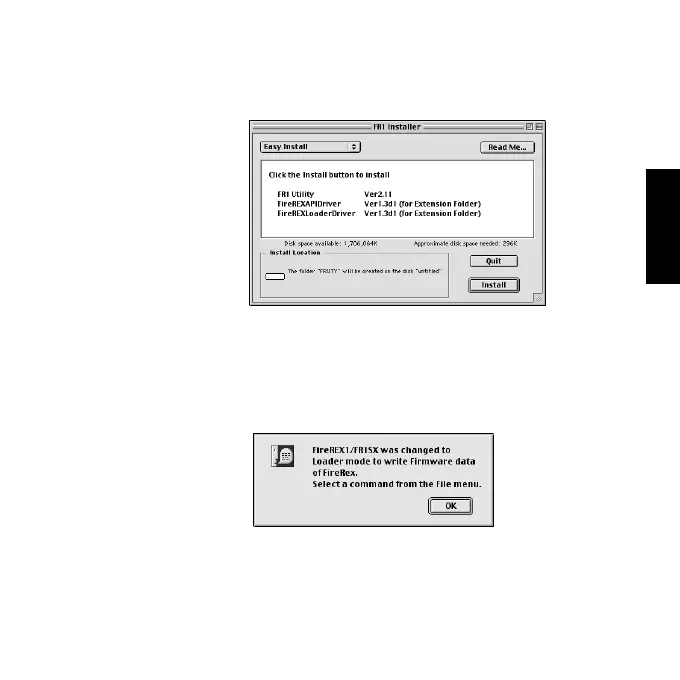
7)The following window will appear. Make sure the install location and click
[Install].
8)The message saying “Installation was successful...” will appear. Click
[Quit].
9)[FRUTY] folder is created in the location you have confirmed at Step 7).
Open the folder and start [FR1 Utility].The following window will appear.
Click [OK].
10)You can start the following utility from the [File] menu. You can
configure settings for the SCSI device or update the old firmware data.
- Proceed to section A for Firmware update Utility.
- Proceed to section B for SCSI Configuration Utility. .



 To Next Page