4
P/N 016-4001-133 Rev. B 23
ISO CALIBRATION & OPERATION
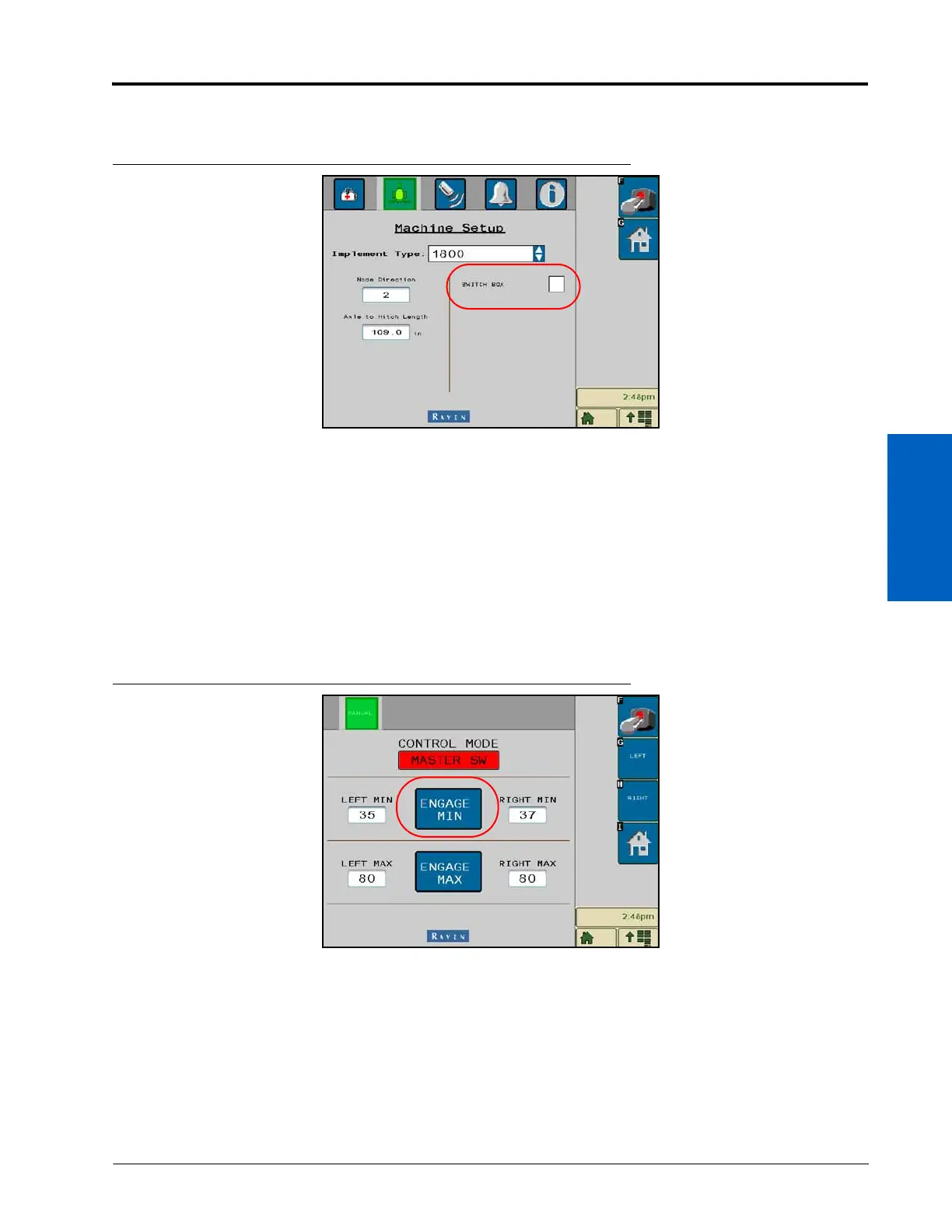
PROGRAM SWITCH BOX STATUS
FIGURE 3. Machine Settings Screen
1. Navigate to the Machine Settings Screen.
2. Select the desired Switch Box status to enable switch box control of the Steerable Hitch system, depending on
if the switch box has Steerable Hitch functionality.
NOTE: The Switch Box status is usually enabled.
PROGRAM THE LEFT AND RIGHT MIN STEER SETTINGS
1. Navigate to the Manual Control Screen by selecting the Manual button along the right side of the Home
screen.
FIGURE 4. Manual Control Screen
2. Turn the master switch On. If no switchbox is installed, toggle the master switch icon in the top right corner of
the screen.
NOTE: The toolbar must be unfolded.
3. From the Manual Control Screen, select Engage Min (located between the Left and Right values).



 To Next Page
 Loading...



