RAY User Guide Getting Started with RAY
16
key of the device.
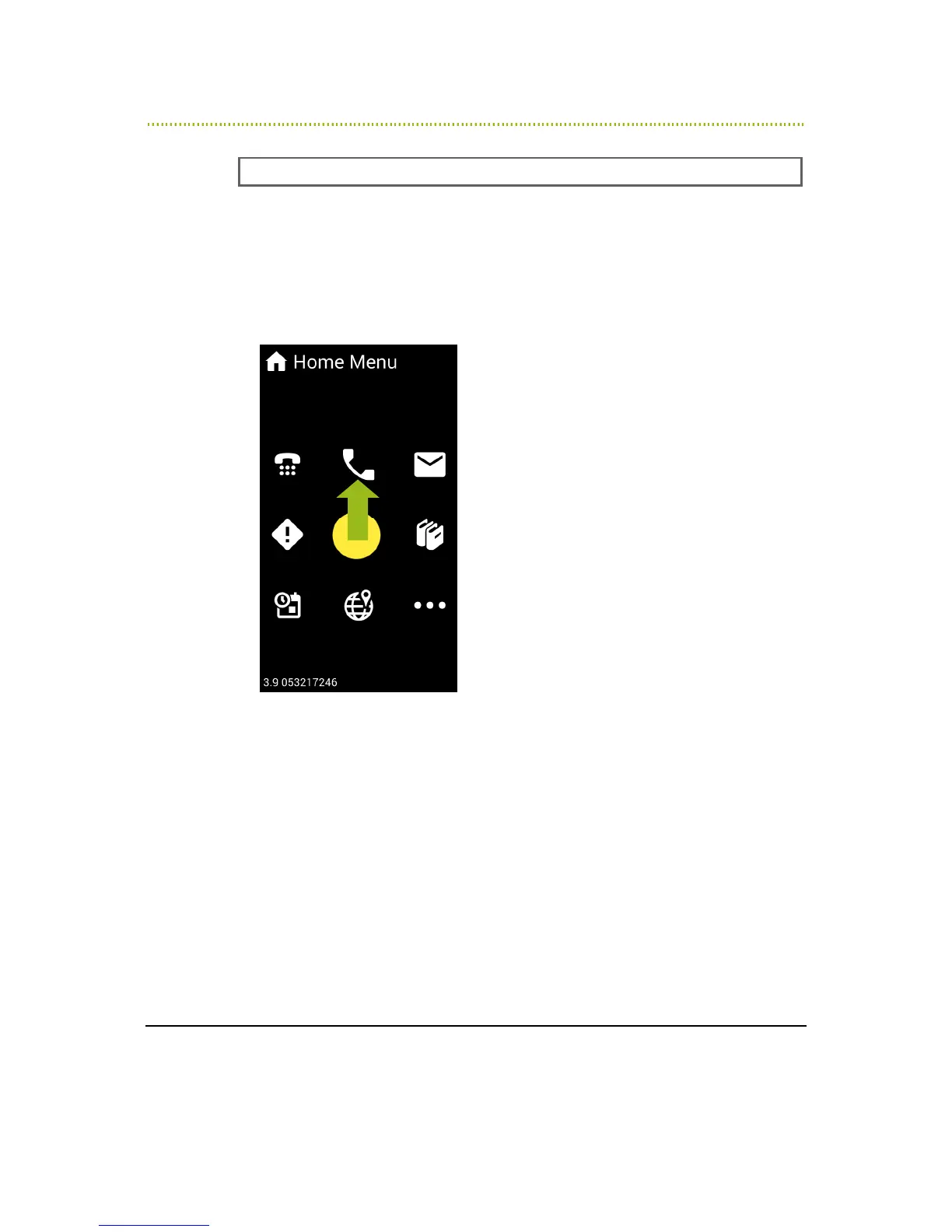
2 From the Home Menu, place your finger somewhere in the middle of the
screen. Wherever you put your finger becomes the number 5 on a regular
numeric keypad.
3 Slide your finger on the screen (without lifting it) upwards towards the number
2 position on this imaginary keypad. When RAY says the word Telephone, lift
your finger off the screen:
Figure 4: Selecting the Telephone Service
4 RAY says Telephone Menu to indicate that you are now in the menu that
provides various telephone services.



 To Next Page