nVent.com | 16
C910-485 OPERATION Section 4
4.1 OPERATING MODES
4.1.1 Four Modes on Console
Scan
This is the default mode displayed during normal operation. In this mode, the console
sequentially displays load current, temperature, and setpoint readings.
Alarm
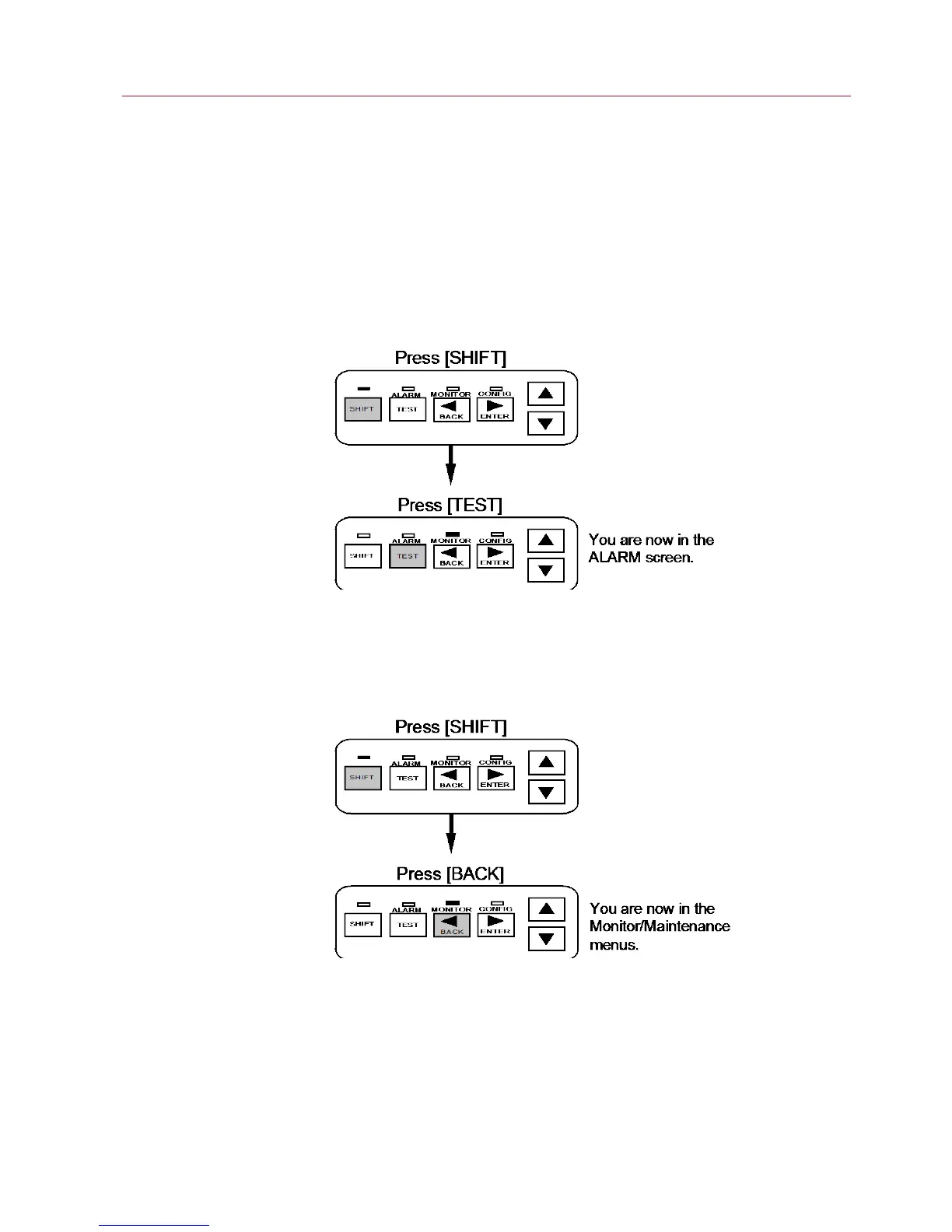
This mode allows you to examine or reset any alarms that may exist. The LED above the
ALARM key is illuminated while in this mode. To enter this mode:
Monitor
This mode allows you to examine any of the controller readings such as temperature,
load current, etc. The LED above the MONITOR key is illuminated while in this mode. To
active this mode:
Configure
This mode allows you to access the console menus to examine or alter the settings. The
LED above the CONFIG key is illuminated while in this mode. To access the operational
menus:


 To Next Page