Wuhan Raycus Fiber Laser Technologies Co., Ltd
User Guide
RFL-C2000S-HP /RFL-C3000S-HP /RFL-C4000S-HP/RFL-C6000S-HP
17
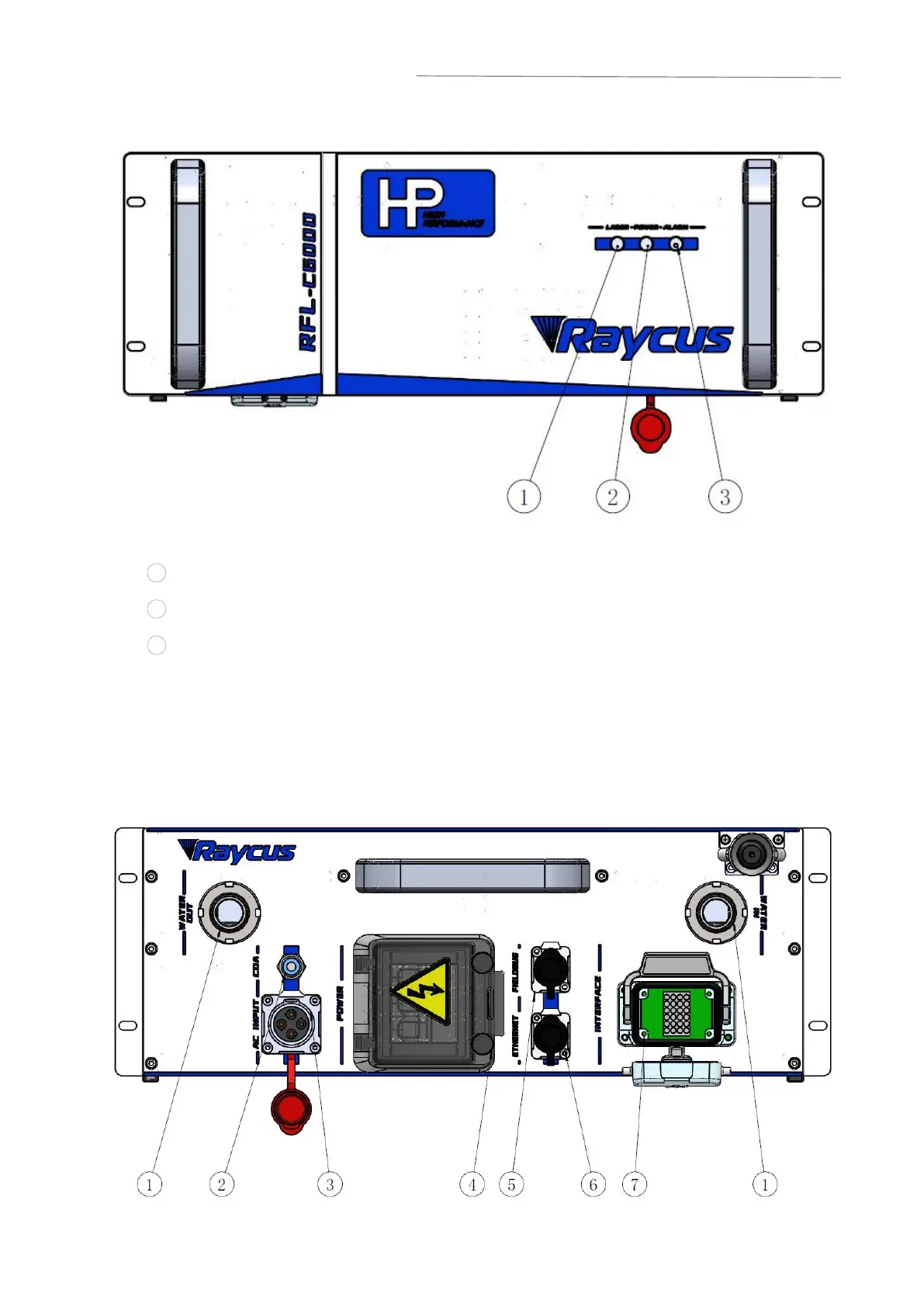
Figure 4 Front Panel of RFL-C6000S-HP fiber laser
1 LASER:Emission indicator, laser out light Laser red light on.
2 POWER
:
Control power indicator, white light indicates that the control system is on.
3 ALARM : Alarm indication, when the yellow light is on it means that an alarm has
occurred on the machine.
4.2 Rear Panel
Figure 5 Rear Panel of RFL-C2000S-HP/ RFL-C3000S-HP/ RFL-C4000S-HP/
RFL-C6000S-HP Fiber laser (take C6000S as an example) :



 To Next Page