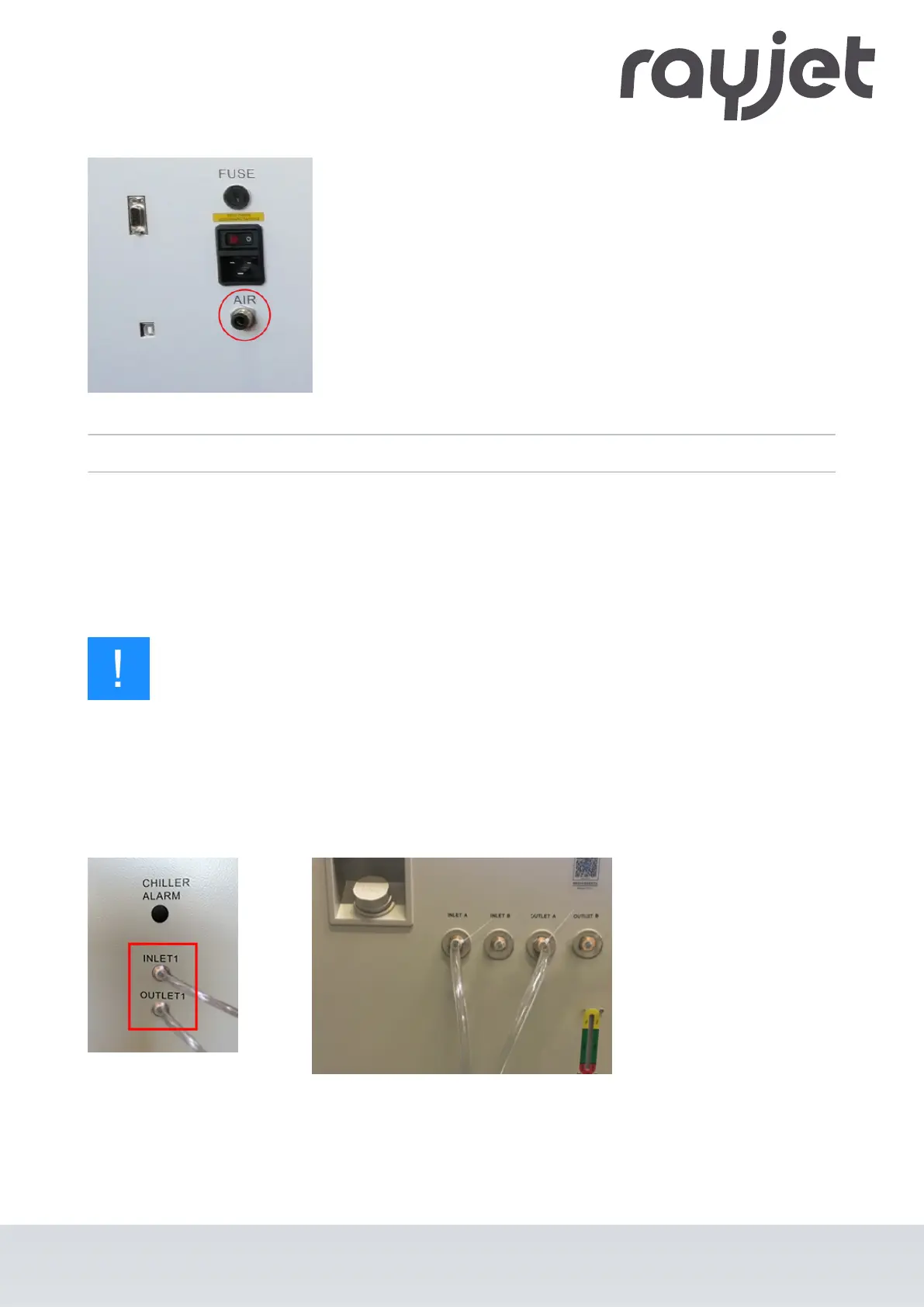
1. Connect the hose of the air assist pump to the laser unit.
2. Connect the air assist to the mains supply.
6.4.4 Connect the water cooling system
Structure:
•
Water cooling systems A und B
•
One cooling circuit INLET1 on the laser machine
•
Two water hoses
Notice
Always connect the INLET input to the water cooling system and the OUTLET output to the
laser source.
The OUTLET in the cooling system is always the INLET on the laser source.
Example:
INLET A to OUTLET1
OUTLET A to INLET1
1. Connect the hoses from the water cooling system to the laser unit (see example).
2. Secure the hose connections with cable ties (on the machine and on the water cooling system).
3. Fill the system with normal water of at least 18°C (64,4°F).
ENGLISH (Translation)
07/2021
47 / 83



 To Next Page