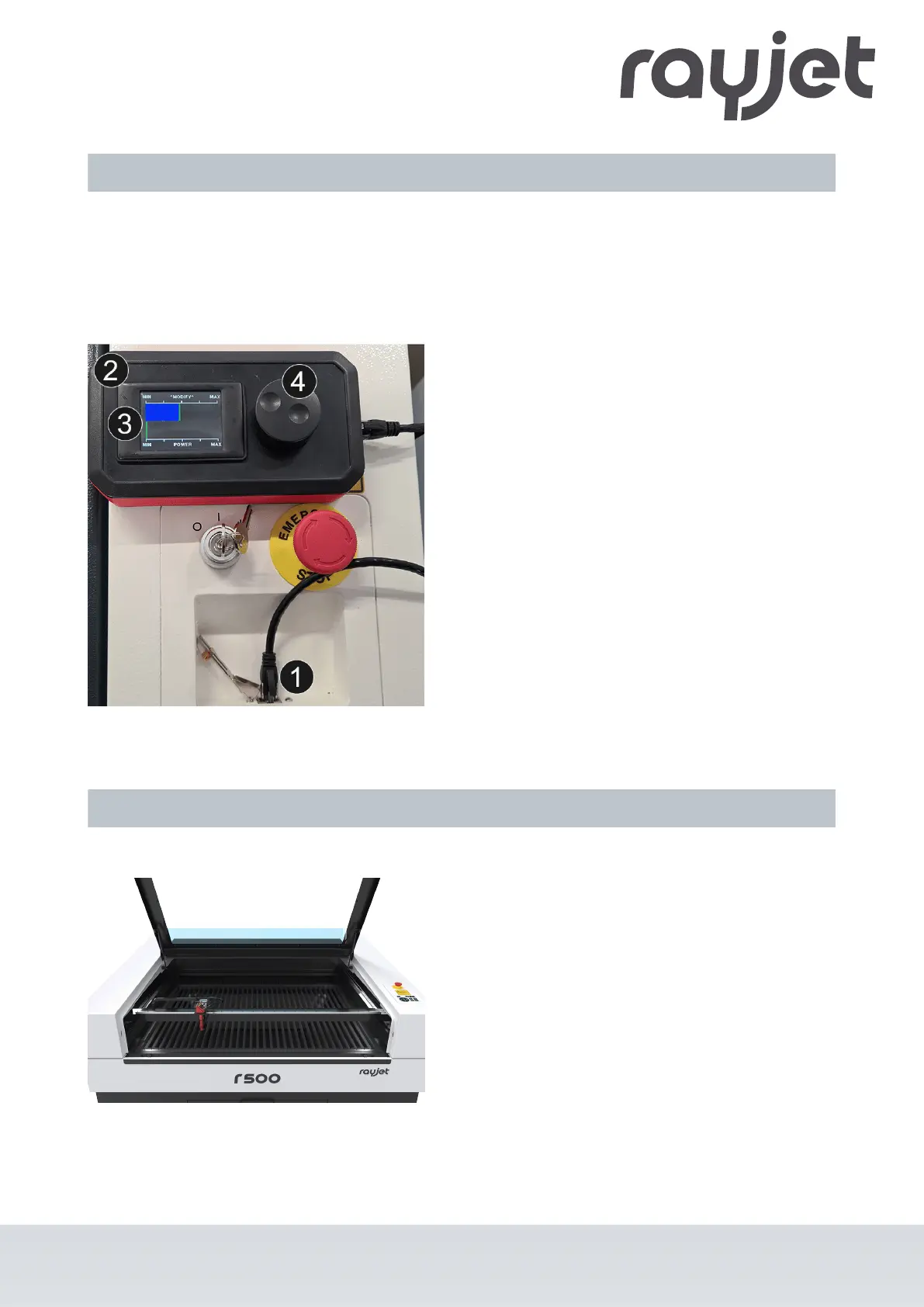
4.2 Laser power potentiometer
Using the Laserpower potentiometer (available as an option), you can electrically adjust the laser power
during the engraving or cutting process. cutting process. Adjustments of ± 20% are possible. This application
can be used, for example, to increase the laser power when cutting outer contours, so that the job does not
have to be started again.
❶ Connect the Laserpower potentiometer (DC
sources only) with the supplied RJ45 cable.
❷ The bar graph shows the current laser power
during cutting/engraving, the display is time-limited
and is updated at short intervals. The flickering during
processing corresponds to the current power.
❸ By default, this bar graph is always exactly in the
middle when the machine is started up, on MODIFY.
Modify means factor 1. The laser power corresponds
to the power set in the software.
❹ Rotary wheel for regulation.
One line on the bargraph 2 corresponds to about
5%. Four discrete steps can be made per side (MIN/
MAX). By pressing the rotary wheel, the initial state is
restored with factor 1. The settings are saved and will
not be lost when the machine is restarted.
4.3 Tables
Aluminum slat cutting table
The cutting table with aluminum slats is ideal for
cutting thicker materials (from 8 mm thickness) and
for parts over 100 mm wide. The lamellas can be
arranged individually, so the table can be adapted to
any individual application.
ENGLISH
ENGLISH
34 / 81



 To Next Page