7.8 Focusing
Caution
Defects from head crashes (working head hits material or working table) are excluded from
warranty.
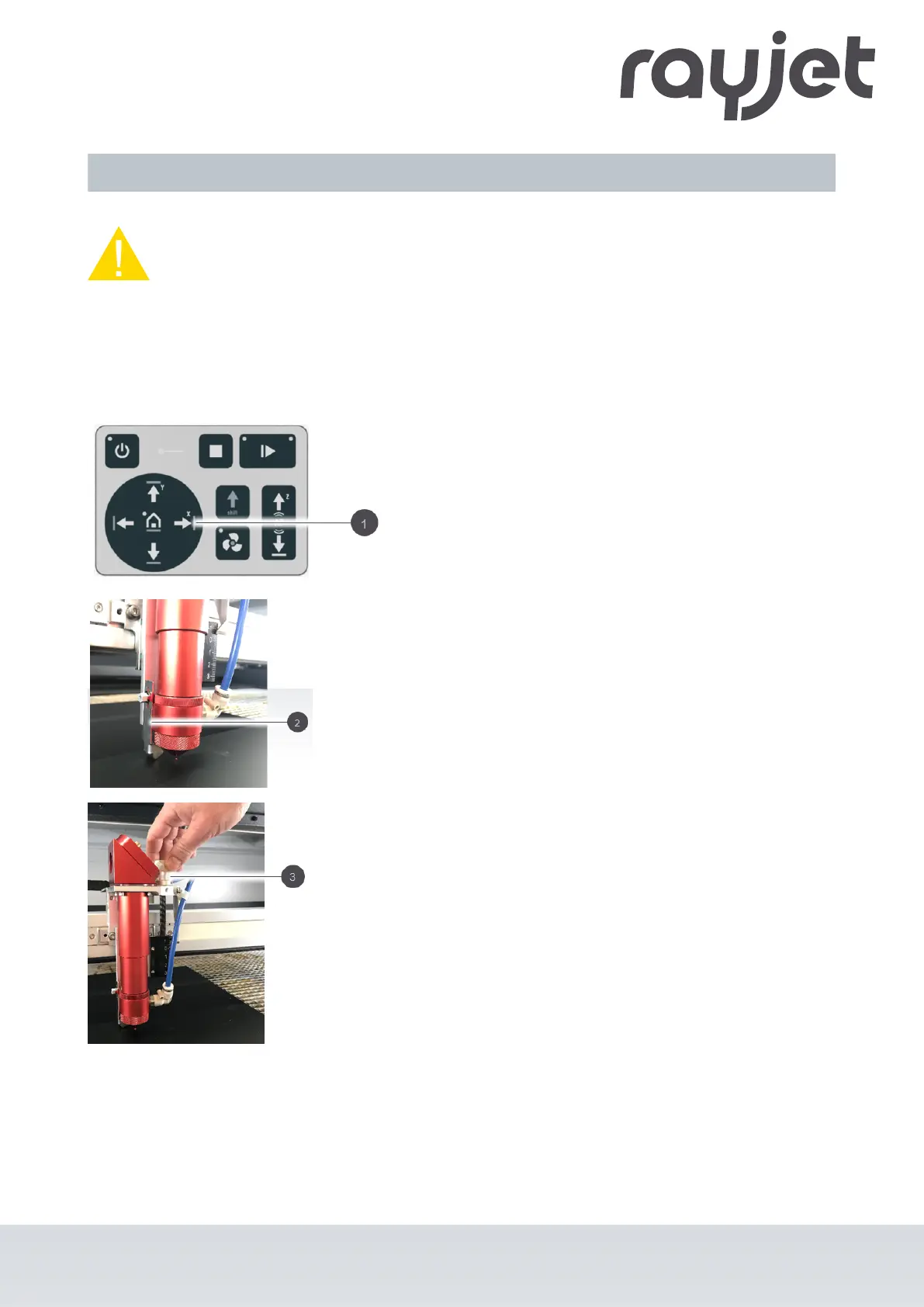
The correct adjustment of the focus, i.e. the correct distance between the laser head and the material to be
processed, is decisive for a perfect application result.
1. Use the X/Y position keys (1) on the control
panel to move the processing head over the
material to be engraved.
2. Place the focus tool (2) on the processing
head.
3. Turn down the processing head with the
adjusting screw (3) until the focus tool falls
down.
The lens is now focused on the surface of
the material.
ENGLISH
ENGLISH
58 / 81



 To Next Page