Using the Handheld
Device Desktop
Desktop Icons
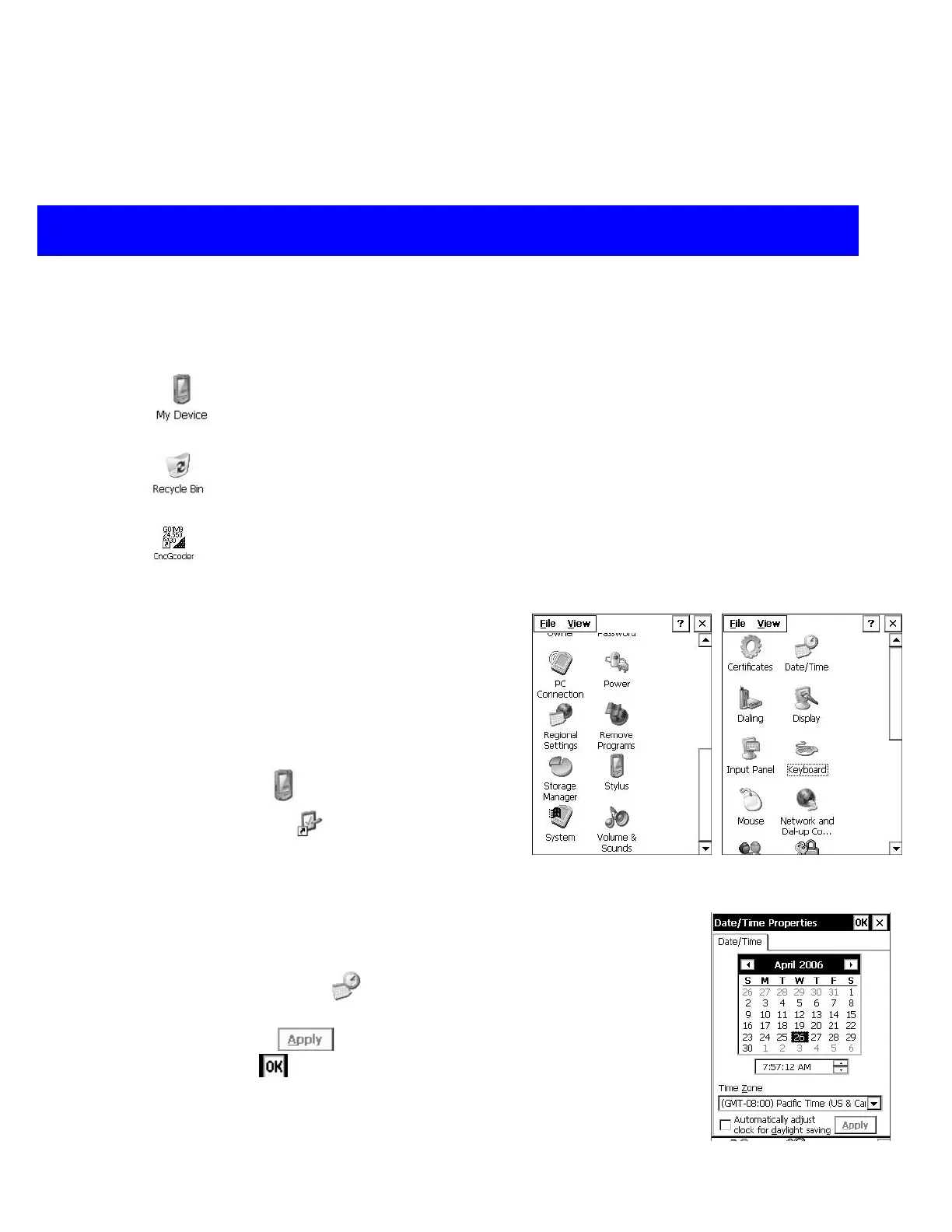
My Device is the root folder on the handheld.
My Device is similar to My Computer on the computer.
Recycle Bin is similar to the PC Recycle Bin. Drag files and folders to the
Recycle Bin for deletion.
The CncGcoder icon is a shortcut to the CncGcoder program. Open this icon
to run the CncGcoder
®
. The CncGcoder
®
is the program that allows you to
transfer CNC G-Code files
Device Preferences
The Control Panels are used to configure and
customize the settings of the device. Use the
Control Panels for such tasks as changing the
speaker volume, adjusting the display, or
monitoring the battery level.
Open My Device
Open Control Panel
to view the handheld’s
settings and system information
Setting Date and Time
1. Open Date/Time
2. Enter the correct date and time information.
3. Tap Apply
4. Tap OK to enter changes
CncGcoder® HD Manual
10


 To Next Page