Using the Handheld
Using the Handheld
Using the Stylus
The stylus replaces a computer’s mouse and is used as follows:
Tap Touch the screen once with the stylus to select options, close
applications, or launch menus from the taskbar.
Double
Tap
Touch the screen twice with the stylus to launch applications, open
files, and view the contents of folders.
Drag Hold the stylus on the screen and drag across the screen to select
text and images.
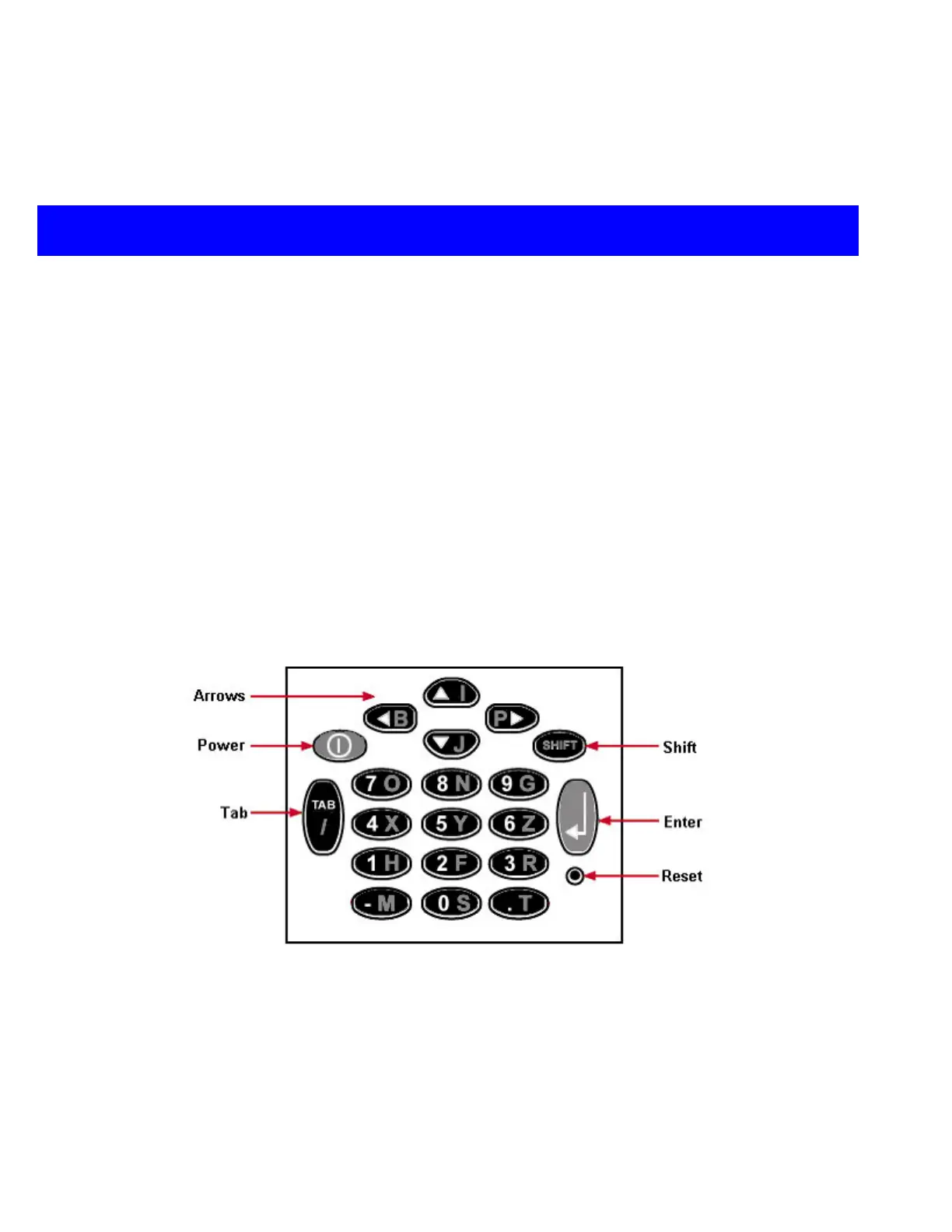
Using the Keypad
The CNC-style keypad was designed for easier typing and screen maneuverability.
¾ Use the four arrow keys to navigate and scroll through screens
¾ Press the keys to type the white numbers
¾ Press Shift and the keys to type the yellow letters
¾ Press the Enter key to select OK to dialog boxes and to move to the next line of text.
CncGcoder® HD Manual
8


 To Next Page