Setting Up
CncGcoder® HD Manual
7
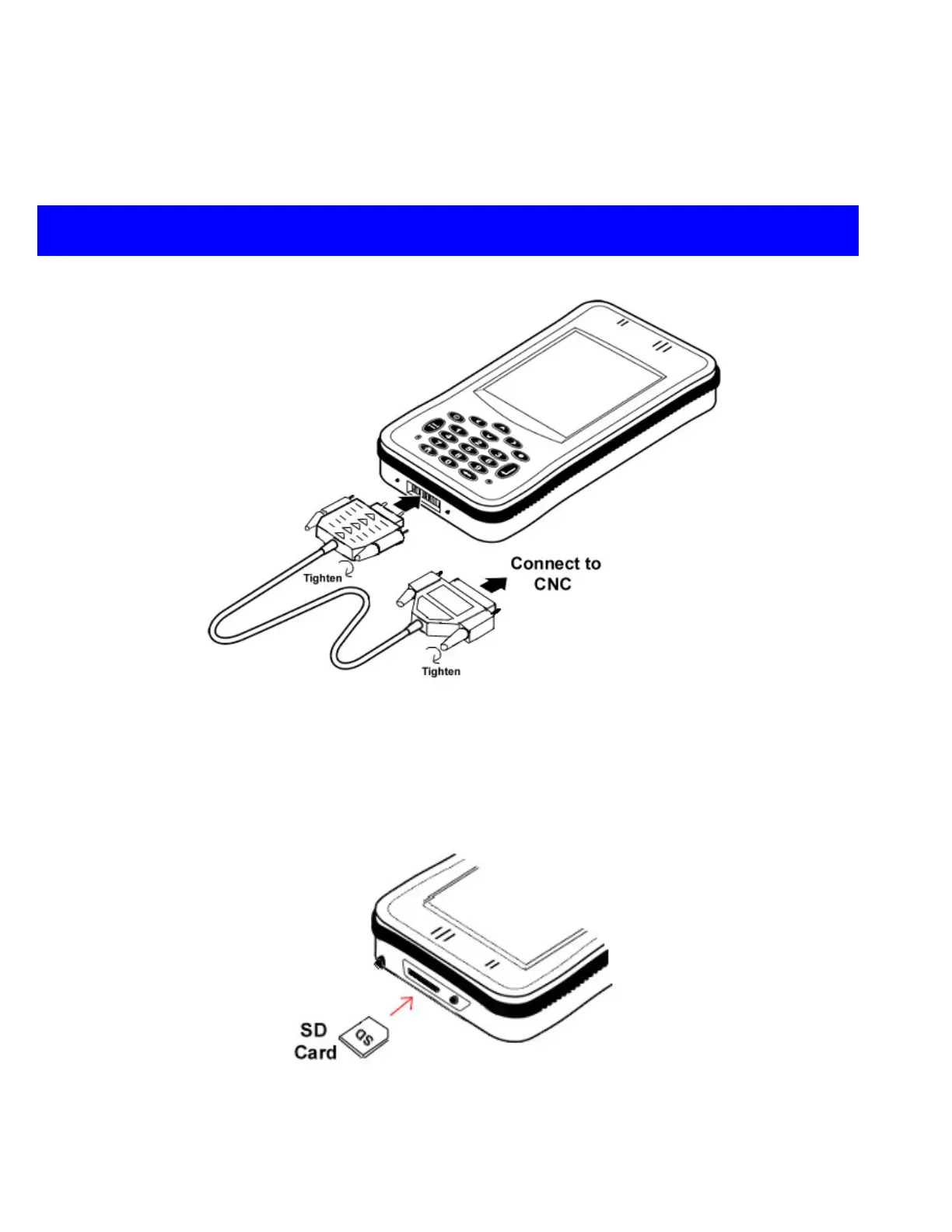
Plugging in Cable
Plug the CncGcoder
®
HD RS-232 serial cable into the base of the unit with the arrows facing
up. Tighten the two screws to ensure a secure connection. Connect the 25-pin end into the
serial port on the machine tool CNC. (HD cable shown, HDx cable similar)
Inserting SD Cards
Insert the SD Card with the connectors down into the SDIO slot located at the top of the
device. Press down on the top of the SD card to eject and remove the card.


 To Next Page