Tech Note 1
CncGcoder® HD Manual
25
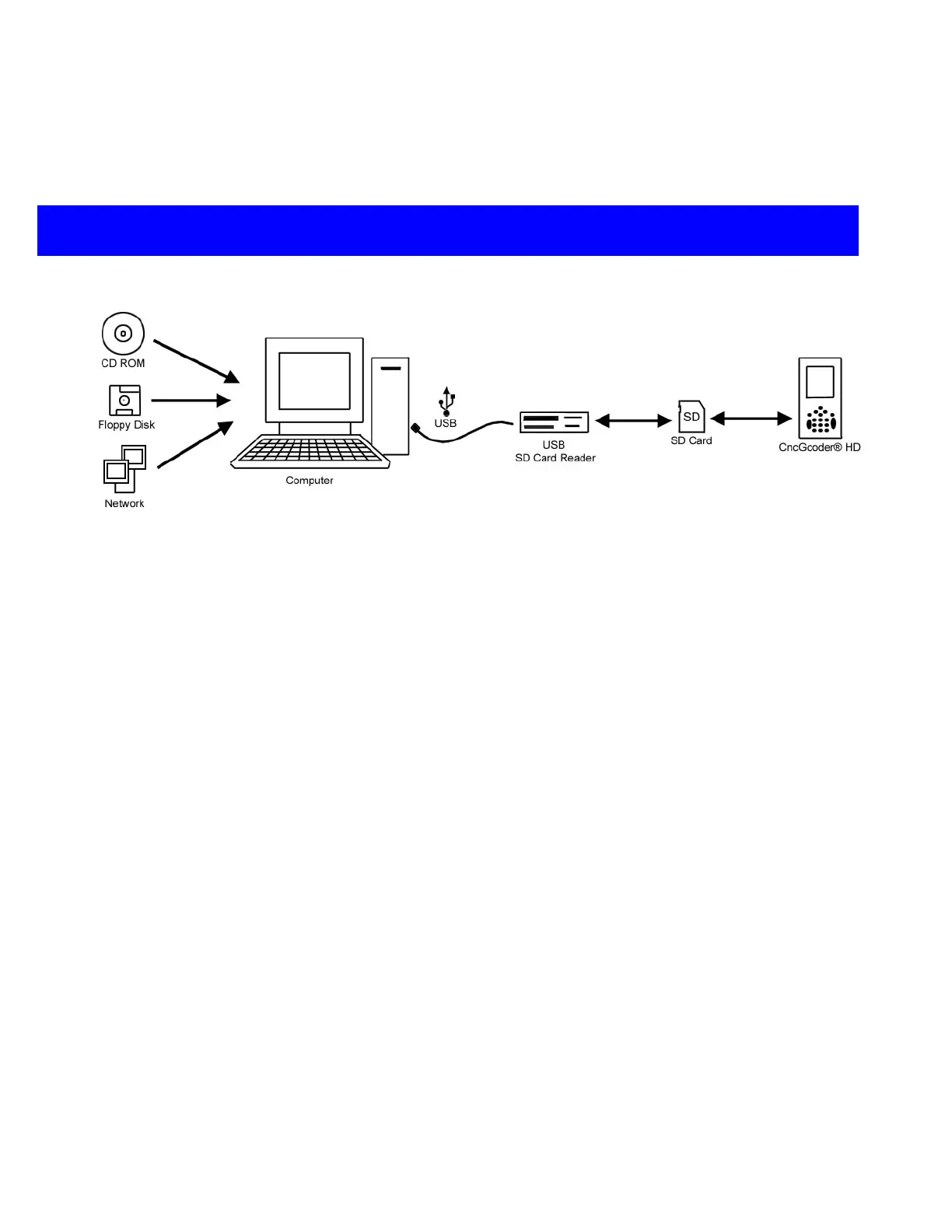
Option B: Transfer from Older Computer using SD Card
SD Card Reader and SD Card
supplied by customer
NOTE: Windows 98 may need
a driver installed.
USB Port Required
Required Desktop OS: Windows 98, Windows 2000,
Windows ME, Windows XP, Mac OS 9, Mac OS X
Transfer files from an
older computer that
does not meet the
requirements.
¾ Use a CD-ROM, Floppy Disk, Network, or other method to transfer G-Code
programs from an older computer to a newer computer.
¾ Use newer computer to save G-Code programs to an SD memory card.
¾ Insert the SD card into the CncGcoder
®
HD to view files on the handheld
¾ Insert the SD Card into an SD Card reader to view files on the computer


 To Next Page