Quick Guide to Your TV
Startup '
5. Adjust PICTURE TILT.
Picture tilt is used to correct a tilt-
ed picture from the effect of the
Earth's magnetic field on a large
picture tube. The PICTURE TILT
STRENGTH and POLARITY
switches on the back of the TV
compensate for this effect. If the
picture appears tilted, follow these
steps to improve it.
You may need to reset the switch-
es if the TVis moved or reposi-
tioned in the room.
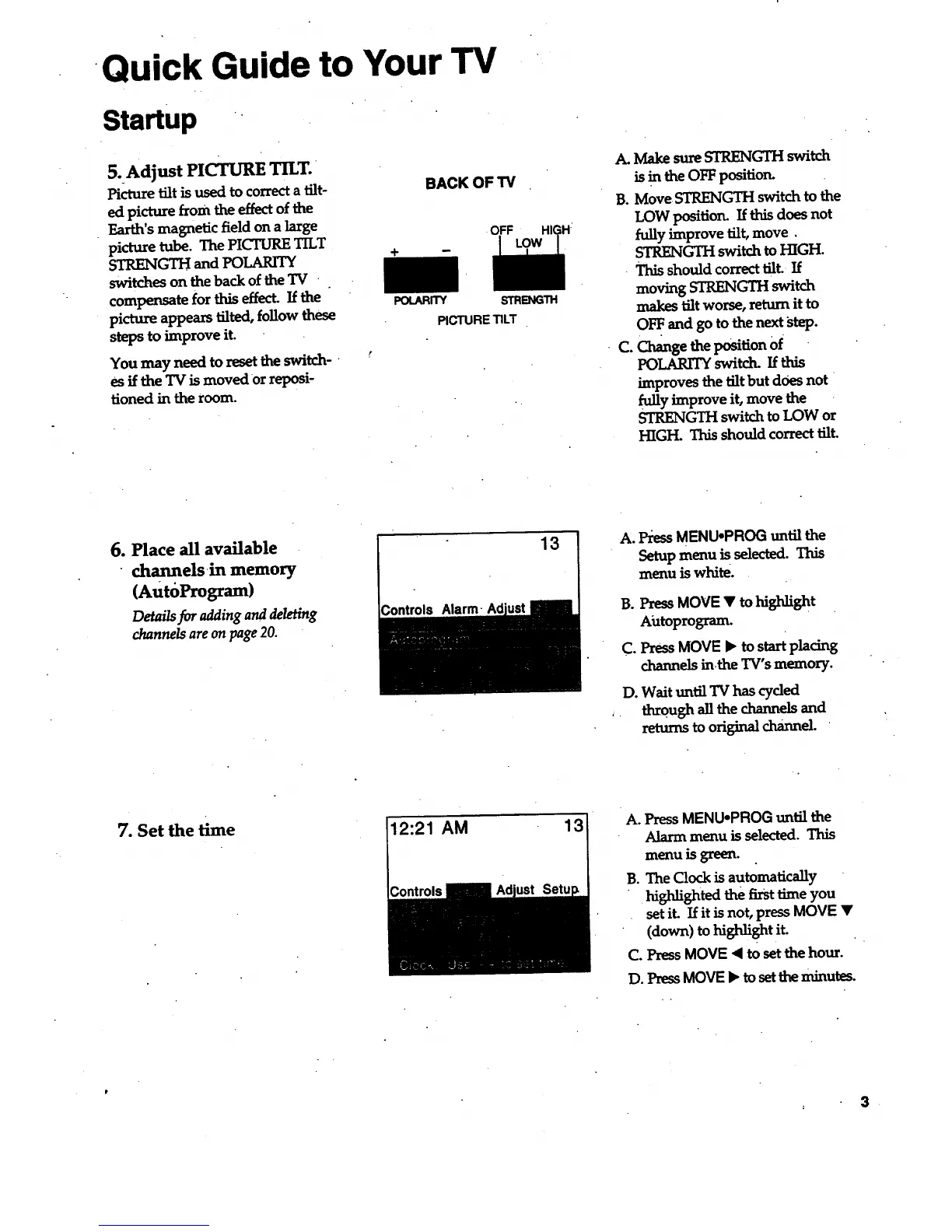
BACK OF TV
OFF
POtARR'Y
STRENGTH
PICTURE TILT
A. Make sure STRENGII-I switch
is in the OFF position.
B. Move STRENGTH switch to the
LOW position. If this does not
fully improve tilt, move.
STRENGTH switch to HIGH.
- This should correct tilt If
moving STRENGTH switch
makes tilt worse, return it to
OFF. and go to the next step.
C. Change the position Of
POLARITY switd_ If this
improves the tilt but does not
fully improve it, move the
STRENGTH switch to LOW or
HIGH. This should correct tilt.
6. Place all available
channels in memory
(AutdProgram)
Details for adding and deleting
channels are on page 20.
Controls Alarm-
13
A° Press MENU-PROG until the
Setup menu is selected. This
menu is white.
B. Press MOVE • to highlight
Aiztoprogram.
C. Press MOVE • to start placing
channels in.the TV's memory.
D. Wait until TV has cyded
through all the channels and
returns to original channel.
7. Set the time
12:21 AM
A. Press MENUopROG until the
Alarm menu is selected. This
menu is green.
B. The Clock is automatically
highlighted the first time you
set it. If it is not, press MOVE •
(down) to hishlight it.
C. Press MOVE < to set the hour.
D. PressMOVE • to setthe minutes.
3



 To Next Page