45
7.11.3 VOID TRANSACTION
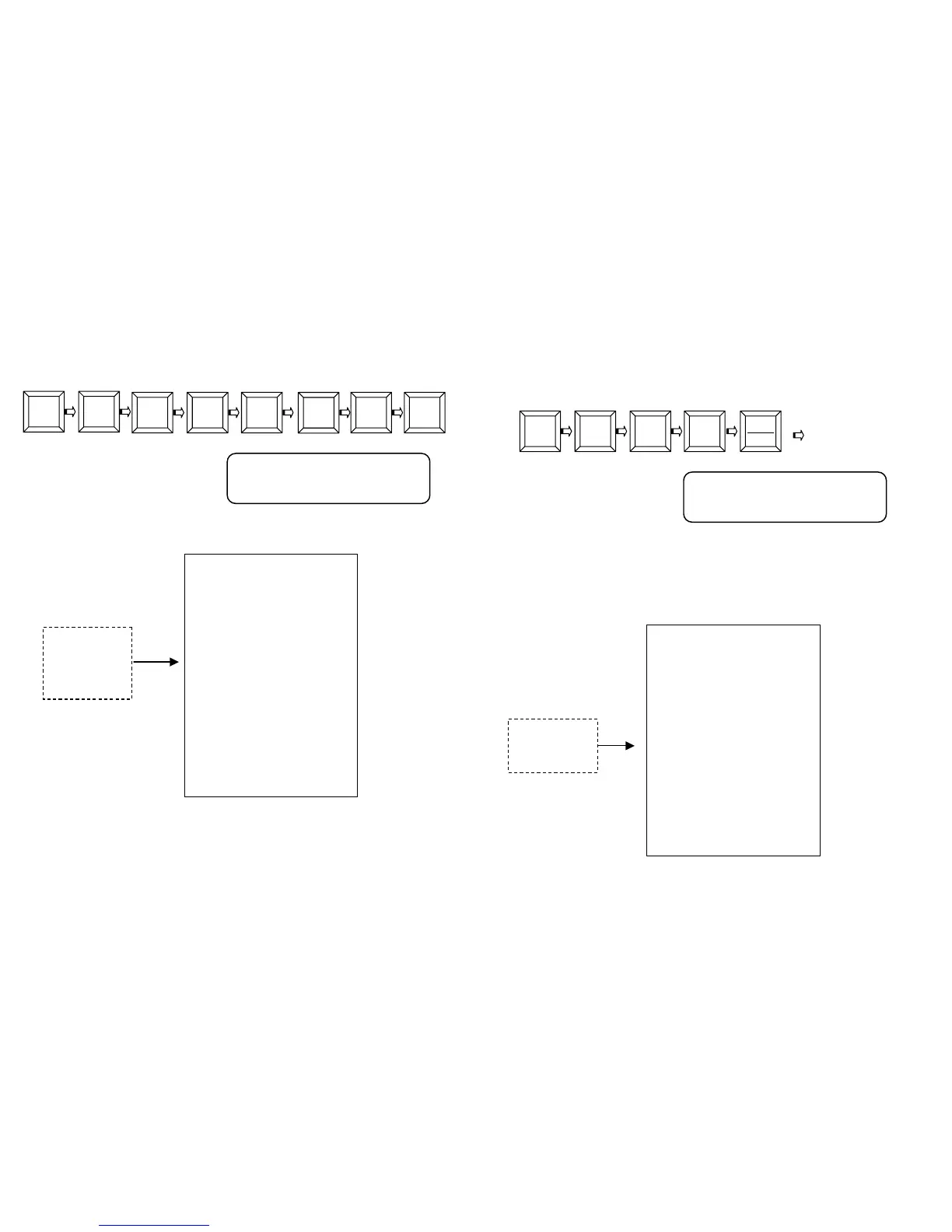
The key VOID is used to reverse an amount from a department
previously recorded within the same receipt.
Example, recording PLU2, PLU5, and PLU8 and void of PLU2. Enter:
On display:
Press the key CASH to close the receipt.
The receipt issued will be the following:
The key VOID REC./VOID also performs the function of “exit” from the
Programming procedures (PRG mode).
DEPARTMENT
AMOUNT
VOID
2
PLU
OID
5
PLU PLU
RCH S.P.A.
VIA CENDON, 39
SILEA (TV)
P.IVA 00193390267
PLU 0002 F 20.00
PLU 0008 F 5.00
-- VOID --
PLU 0002 F -20.00
-----------------
SUB-TOTAL F 5.00
TOTAL 5.00
CASH 5.00
CLK#1 PC#1
N.0010 16/01/05 12:35
GM GD 72000001
2
FN
PLU 0002
-20,00
46
7.11.4 RECEIPT VOID TRANSACTION
The key VOID RECEIPT is used to fully cancel the current receipt.
Therefore, it cancels any previously recorded amounts. Example:
recording with PLU 5, PLU 3 and total cancellation of the recordings.
Enter:
On display:
It is asked for confirmation of the choice by selecting YES or NO through
keys +% -% . Select YES and press CASH. The receipt is closed at zero
value and the display shows the message “RECEIPT VOID”.
The receipt issued will be the following:
VOID
RECEIPT
3 5
STOR
ST.SC
RCH S.P.A.
VIA CENDON, 39
SILEA (TV)
P.IVA 00193390267
PLU 0005 F 20.00
PLU 0003 F 5.00
-----------------
RECEIPT VOID
-25.00
TOTAL 0.00
CLK#1
N.0011 16/01/05 12:40
GM GD 72000001
VOID RECEIPT?
YES / <NO>
PLU
P


 To Next Page