credit
Performed daily fiscal report
Fiscal receipts issued
Not fiscal receipts issued
Fiscal memory readings
Fiscal receipts number, daily
report date and time
Number of reset performed by
the technician (max. 200)
Electronic journal cumulative
number and fiscal seal of the
dail
orts
To set to zero the Periodic reports (Departments, PLU and VAT), display
the report wanted, (using the keys %- and %+), then press CASH.
Note: Before printing the Fiscal Dail
.
NET Sales
VAT Rate net Sales
60
9.2 FISCAL MEMORIES READINGS
To perform the reading of the fiscal memory, enter in Z mode (3 KEY )
and repeatedly press the key +% until the following is displayed
Press CASH.
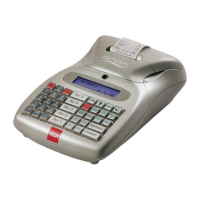
Onda starts the printing from the full
fiscal memory. If required, use the key
CL to exit the current printout.
Instead, to use other reading procedures
of the fiscal memory, press the key +%
until the function wished for is displayed.
For “from date to date” type readings
Onda ask for separate entering of the
two dates, displaying, singly, the request
to enter the day, the month, the year,
and confirming every time the data
through the key CASH.
For readings “from fiscal daily reports
number to number” Onda asks for the
separate entering of the two fiscal daily
report at the beginning and at the end of
the reading. Confirm the data with the
key CASH.
RCH S.P.A.
VIA CENDON, 39
SILEA (TV)
P.IVA 00193390267
F. M. FULL READ
E.J. #. 01 INITIALISED
DATE 10/01/05 TIME 18:30
------------------------
DFR.N.0001 DATE 10/01/05
NET E 0.00
NET F 9.09
NET R 19.23
NET B 0.00
NET C 0.00
VAT 1.68
------------------------
GROSS TOTAL 30.00
DFR.N.0002 DATE 11/01/05
NET E 0.00
NET F 40.91
NET R 48.08
NET B 0.00
NET C 0.00
VAT 6.01
------------------------
GROSS TOTAL 95.00
************************
GRAND TOTALS
************************
NET E 0.00
NET F 50.00
NET R 67.31
NET B 0.00
NET C 0.00
VAT 7.69
------------------------
GROSS TOTAL 125.00
CLK#1
N.0001 11/01/05 23:54
GM GD 72000001
-Z DAILY REPORT-
Full FM


 To Next Page