63
11 TIME/DATE DISPLAYING
To display the hour and the date, in REG mode (1+ KEY ) press the key
X/ .
The machine will show on both displays the current date and time.
Example of displaying of date and
time on the clerk’s display.
The asterisk states “the solar time”.
Note: the machine displays the date and the time only if no recording is
carried out. (refer also to chapter 6.12)
11.1 LEGAL TIME AND SOLAR TIME
With Onda it is not necessary to move manually from the solar time to the
summer time or vice versa. In fact the automatic change function is
integrated to it upon restarting the cash counter, upon condition that the
fiscal data are zeroed with a fiscal daily report. On the next switching on of
the cash counter the clerk’s display will show one of the following
messages:
Press the key CL and continue the recordings.
23-03-2005
09:18:51 12.1V
*
AUTO SET
SOLAR TIME [CL]
64
12 REPLACEMENT OF THE PAPER ROLL
The cash counter is set to signal the end of the paper through a sensor.
When during the printout the sensor detects the absence of paper the
display will show:
replace the paper roll (refer to
following procedure) and press CL
to continue the recordings.
To avoid changing the paper roll with an open receipt, it is preferable to
change it upon the coloured strips appear.
Note: it is possible using the function STORNO SCONTRINO (RECEIPT
VOID) to cancel the current receipt and to issue a full new one, recording
again the items.
To properly replace the paper roll, follow the procedure:
• Take away the two parts of the cover applying the force on the
specific side slots
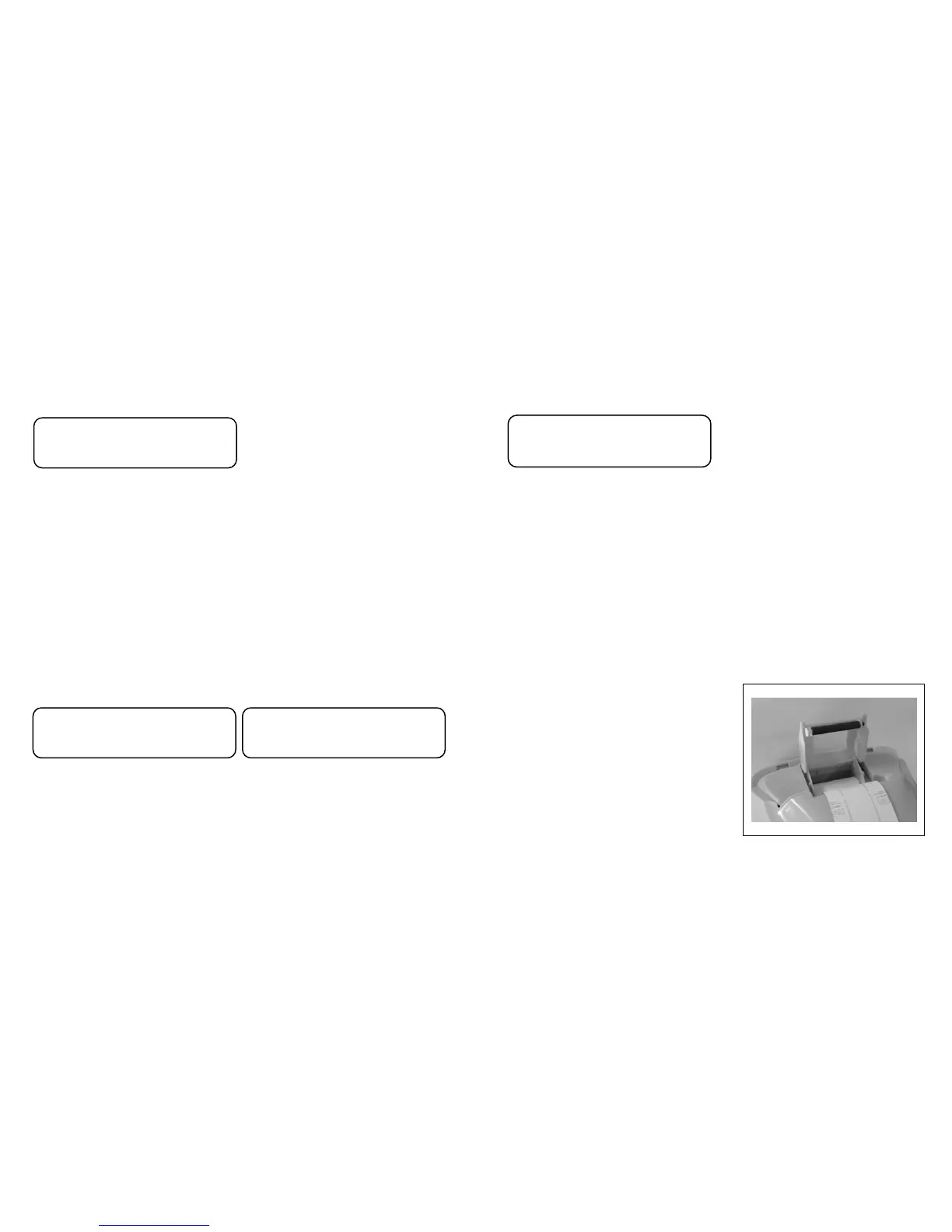
• Open the inside cap that
contains the paper roll, putting
the fingers in the specific port
and applying force towards the
upper part to lift the cover
• Remove the core of the paper roll
• Insert a new paper roll and let
the upper edge exit
• Close the cap and hear the closing click.
• Reposition the upper cover
• Continue the recordings.
E60: PAPER OUT
Press


 To Next Page