13
4 KEYPAD
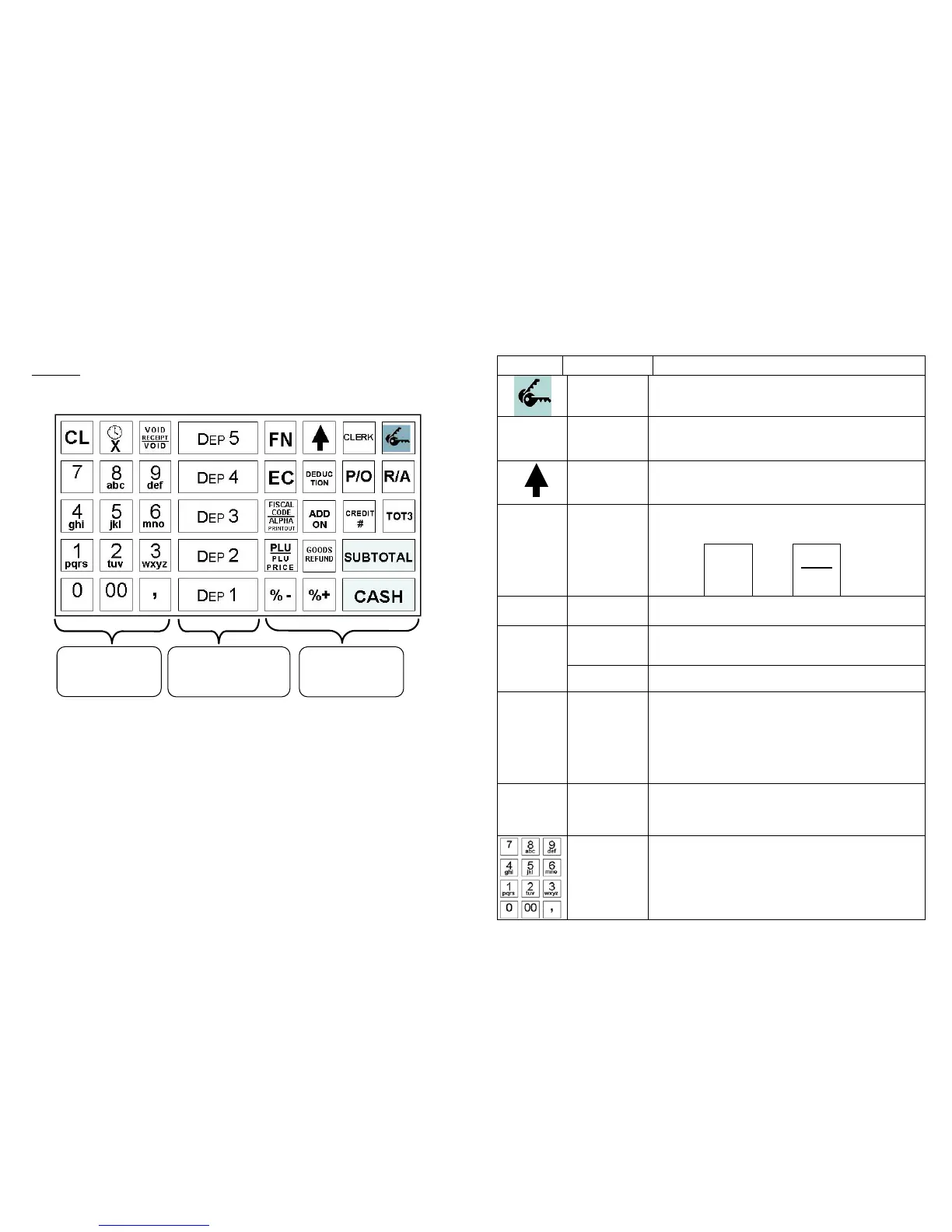
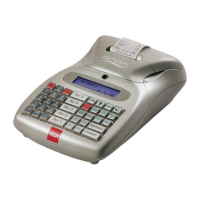
A keypad that allows manually performing all the fiscal functions
guarantees Onda operations. The following configuration is proposed as
standard
. However, it may freely be changed by placing the keys into
different positions or by adding other departments. Contact assistance if
you need to change configuration keys.
Use the numerical keypad to enter the letters as commonly made with the
portable telephones, using the printing on the keys. As an example, by
pressing the key 1 character “1” would be displayed, by repeatedly
pressing the same key, the character entered changes and would become
P, Q, R, and S, then to become again 1. Should the next letter be on the
same key, wait a few seconds to allow the cursor to automatically advance
one position to enter the next character.
To change any entered character use the following function keys:
[ %+] = moving the cursor to the right
[ %- ] = moving the cursor to the left
[ CL ] = cancel the entire line
[ 7 ] = character “7” or “SPACE”
[ 0 ] = charater “0”, or (in sequence) “ / . : , ; ’ - = ( ) % & ! ? + * @ ”
NUMERICAL
KEYPAD
DEPARTMENT
KEYS
FUNCTION
KEYS
14
4.1 KEYS FUNCTION
KEY Name Function definition
KEY
Key to select the operating mode (REG - X - Z -
PRG) and for lock keyboard.
CLERK
CLERK
(OPERATOR)
Key to enter the code and the change of the cash
counter clerk
PAPER
FEED
Key to advance the receipt paper
Alternate function key. Press, previously, by one of
the key with associated double function, would allow
entering the second function.
FN
FUNCTION
Example:
pressing
key
FN
Before
key
PLU
PLU
PRICE
The function
PLU PRICE is
utilised
Instead of PLU
function
DEP 1
DEPART.
(N)
Key utilised for the recording of the items by
previously entering the price.
Receipt
VOID
Key utilised to cancel the current receipt not
completed yet by the mean of one of the closure keys
( CASH (CASH) , Credits o Total 3).
VOID
RECEIPT
VOID
VOID
Key utilised to reverse an amount of a specific
department.
X
X \ TIME
The key puts together two different functions directly
accessible (it is of no use to press FN key to select X
or Time): the first function displays the time, should
the key be pressed with no fiscal receipt. The second
function multiplies the set quantity by the amount
associated with the department/PLU, during the
recording of a fiscal receipt.
CL
CLEAN
DISPLAY
Key used to cancel a data before recording it onto the
memory of a department or PLU. Also, utilised to
correct keying errors, if any, or to remove acoustic
messages or on display, if any.
NUMERICAL
KEYPAD
with
ALPHABETIC
function
The numerical keypad allows entering numerical and
alphanumerical information, useful to print the fiscal
receipt (keying for the printout of the Customer’s
Fiscal Code onto the fiscal receipt) and for the
programming operations of the fiscal numerator.


 To Next Page