6
Setpoint Display
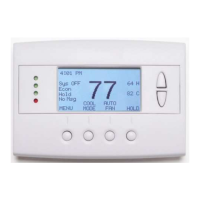
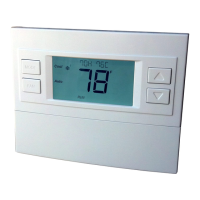
The current heating and cooling setpoints are displayed next to the Setpoint Up/Down buttons.
Thermostat Operation Buttons
Pressing these buttons will take you to the following screens:
Menu – go to the Main Menu Screen to select other thermostat
settings screens.
System Mode – go to the System Mode screen to set
thermostat operating mode.
Fan Mode – go to the Fan mode screen to set the fan mode.
Schedule Mode – go to the Schedule mode screen to set
schedule mode or setback.
Setpoint Up/Down Buttons
Press either the Up or Down buttons to go to the Heating or Cooling Setpoint screen.
NOTE: If the thermostat is in the OFF mode, pressing the setpoint Up/Down buttons will take you
to the System Mode Screen. You must first select an operating mode to be able to change the
setpoint for that mode.
Time Display
The current time is displayed in the upper left corner of the main screen. Set the clock from the User
Settings Menu. The time will blink when the clock has not been set.



 To Next Page