26
Main Menu > Installer Settings (Hidden Screen)
The Installer Settings screen is a hidden screen designed for installer use only. Do not change any
settings in this screen unless you are a qualified service technician. Changing these settings will affect the
operation of the heating/cooling system.
To enter this screen, go to the main menu selection screen and press and hold the two inner
buttons for 3 seconds until the Installer Settings screen appears.
The Installer Settings screen displays the current internal settings of the thermostat. You can view and
change the settings from this screen. Scroll to the desired function and use the +/- buttons to change.
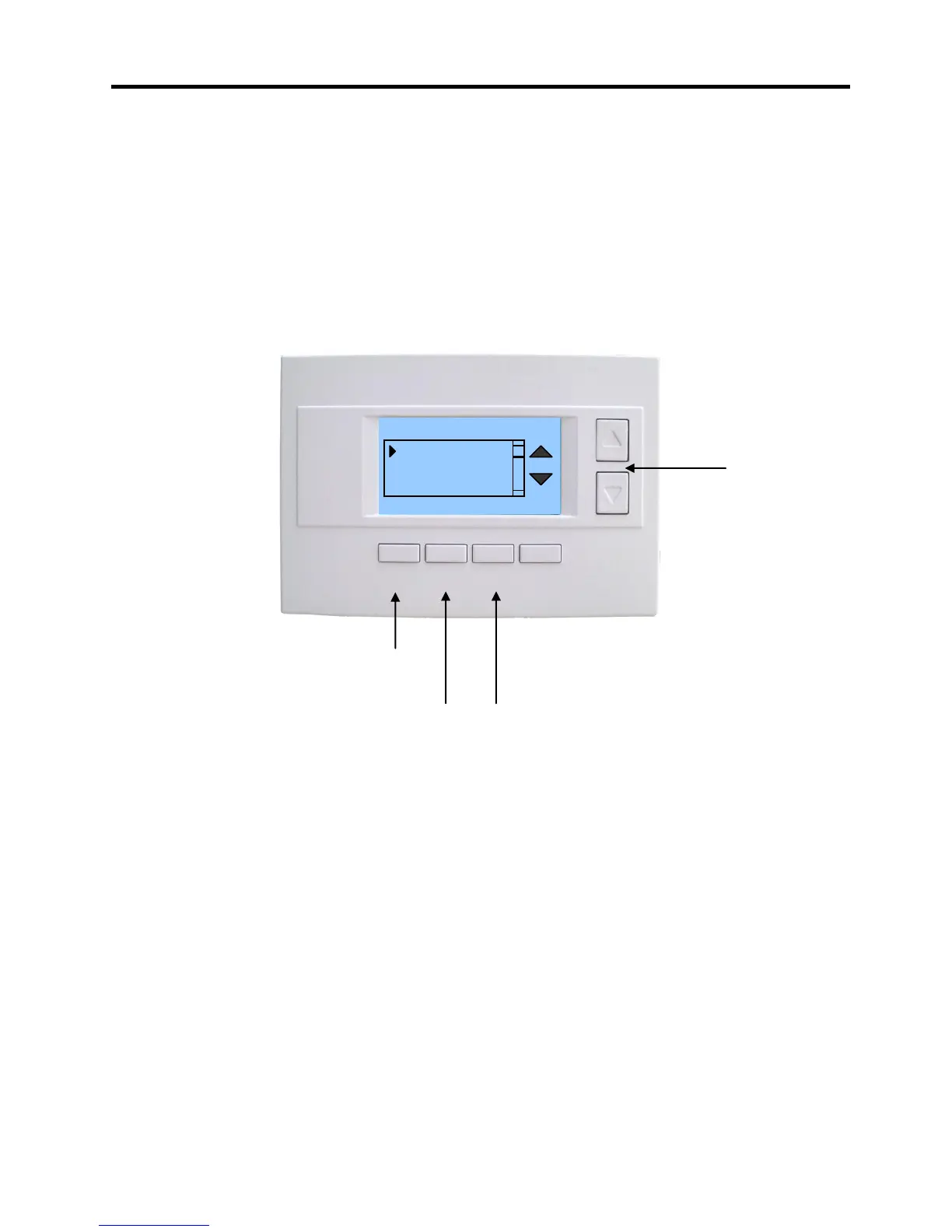
Installer Settings Screen
Installer Settings Menu items
Display Lock Range: Y or N Default: N
Y = Display LOCKED
N = Display unlocked
Allows you to lock or unlock the thermostat buttons. When the buttons are locked, you can still access the
main menu, but you will not be allowed to select any menu options. The Installer Settings hidden button
operation is always operational, allowing you to return to this screen and turn Display Lock off.
Network Settings Submenu
Network Address: Range 1 to 254 Default: 1
Sets the RS485 network address.
0 is reserved for host address, 255 is a global address.
Network Type: Range: RCS or CDX Default: RCS
Protocol type selection: RCS is normal. CDX is a special protocol for direct connection to a GE
NetworX NX8E security panel.
Autosend: Range: Y or N Default: N
In autosend mode, the thermostat will transmit any changes in temperature, setpoints or modes.
Select menu item with
Up or Down buttons.
Display Lock N
Network Settings
Stage Settings
Max Heat SP 85
Press DONE button to exit back to Main
Menu screen.
Press +/- buttons to increase/decrease the setting.



 To Next Page