44
10. Getting started with the quadrocopter
a) Flight battery charging
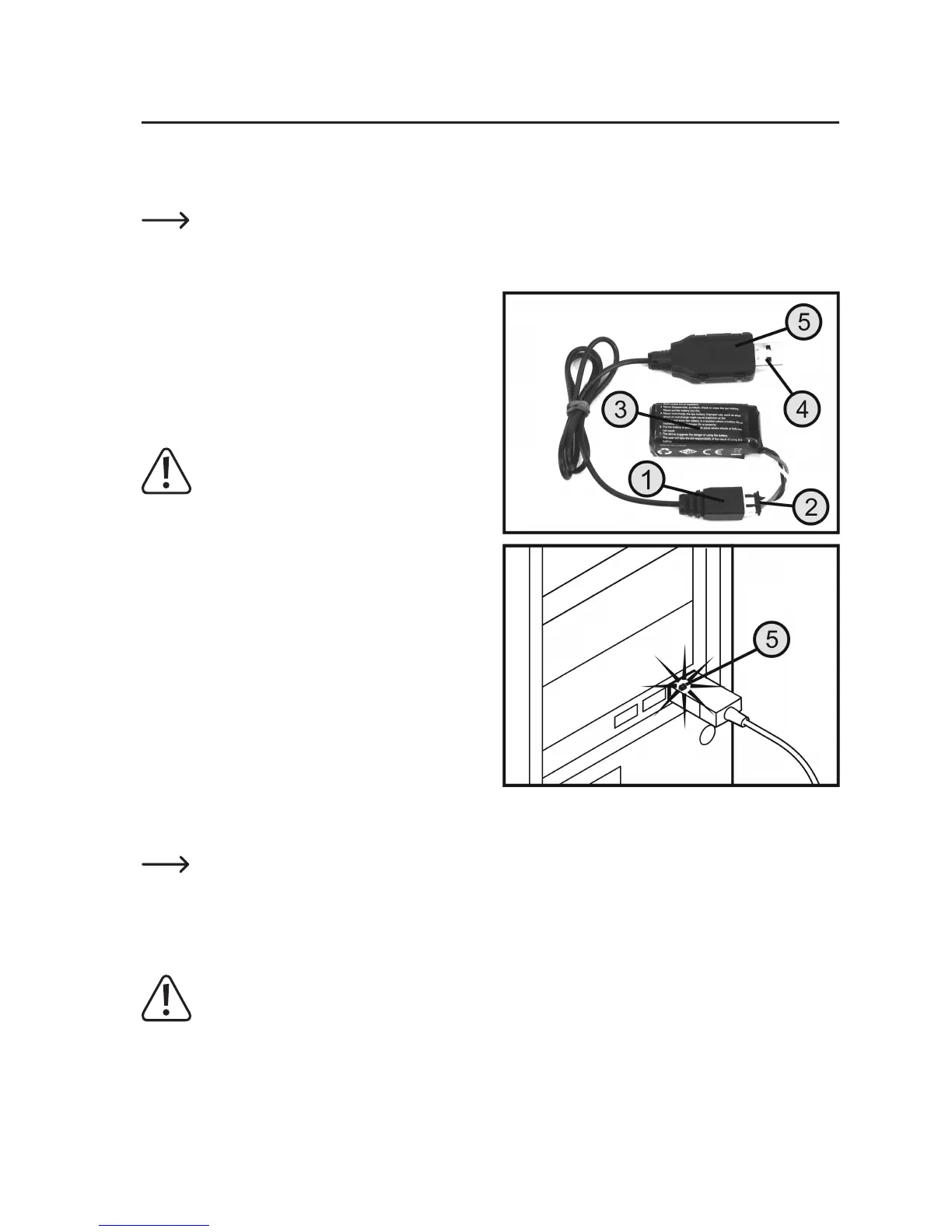
TheightbatteryischargedusingthesuppliedUSBchargingcable.
Forillustrativepurposes,thechargingcableisshownwound-upinFigure4.Beforetherstuse,thecable
tie should be opened and the cable unwound to its full length.
Charging:
Connect the reverse polarity-protected plug (1) on the
charging cable to the reverse polarity-protected plug (2)
ontheightbattery(3).Twolatchespreventtheplugsfrom
being connected the wrong way round.
As soon as the USB plug on the charging cable (4) is con-
nected to a USB port on a computer/notebook or to a USB
charger plug, charging begins automatically.
Important:
The USB port output current must be at least
500 mA.
Do not connect the USB cable to a USB hub
without its own power supply (e.g. a USB port
on a keyboard etc.) as the current is not high
enough for the charge function.
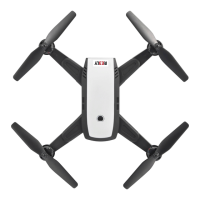
During the charging process, the red charging control LED
(5)ontheUSBplugashes.Dependingonthechargere-
mainingintheightbattery,thechargingprocesscantake
up to 130 minutes.
When the charging process has been completed and the
ightbatteryisfullycharged,theredLEDontheUSBplug
stays on continuously.
Disconnecttheightbatteryfromthechargingcableim-
mediately after charging and unplug the USB plug on the
charging cable from the computer/notebook or charger
plug.
The operating system does not detect any new hardware when the charging cable is connected as the USB
port is only used for charging. Please note that most USB ports on computers/notebooks are only active
when the computer/notebook is switched on.
Therefore, we recommend that you only connect the charging cable to a computer/notebook that is
switched on.
Important!
Onlychargetheightbatteryinthequadrocopterusingthechargingcableincluded.Nevertrytocharge
the battery in the quadrocopter with a different or unsuitable charger!
Figure 4


 To Next Page