54
16. Calibration of position sensors
Ifthequadrocopterdoesnothoversteadilyinthesamepositionorthetrimhastobeadjustedsignicantly,theposition
sensors in the model have to be re-calibrated.
Proceed as follows:
First, switch on the transmitter and then the quadrocopter. The trim must be set to the centre position.
Thenplacethequadrocopteronaat,horizontalsurface.
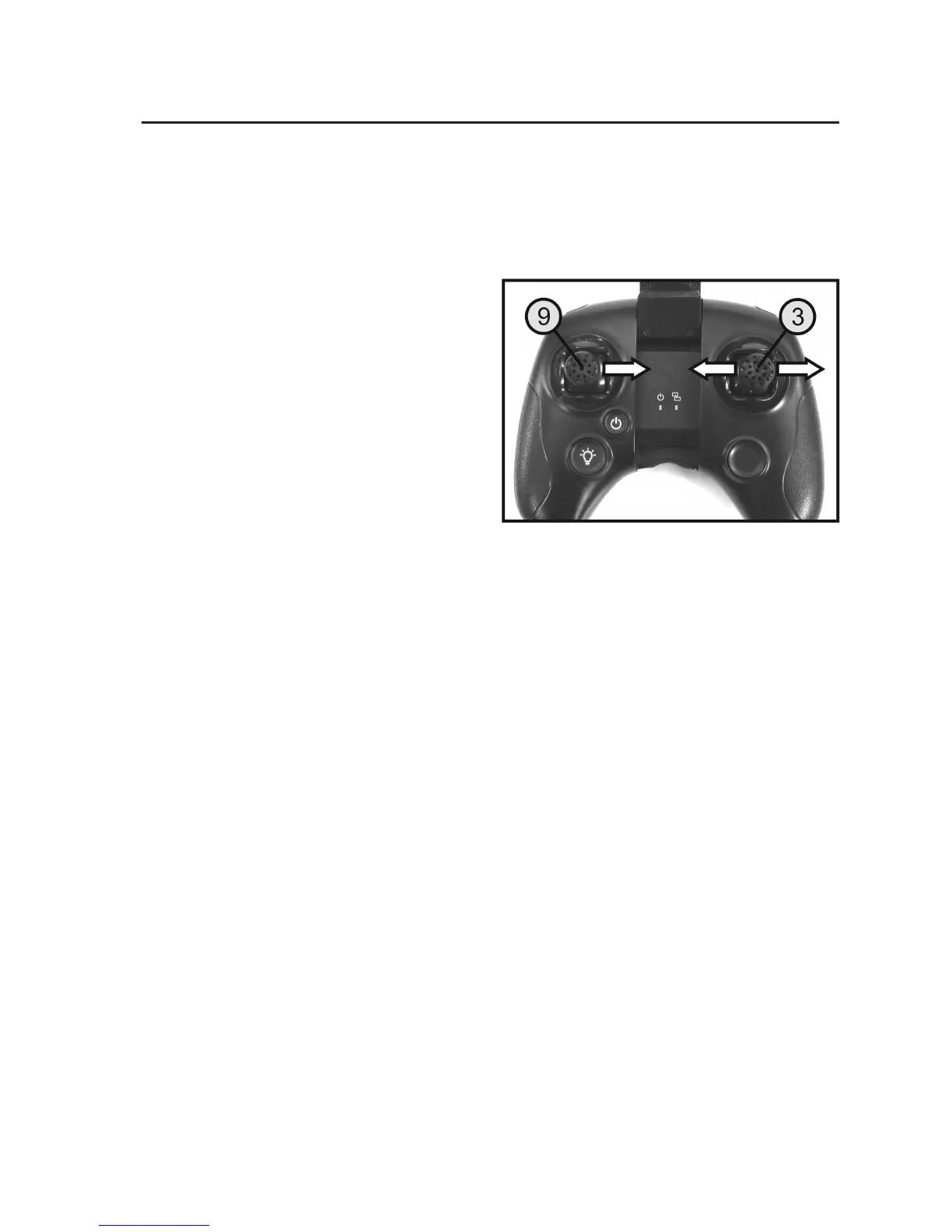
Then move the left joystick (see Figure 1, no. 9) the right
up to the limit stop and hold it in this position.
Move the right joystick (see Figure 1, no. 3) to the right and
left limit stops several times, until the two red LEDs on the
rearofthequadrocopterashalternately.
Now, move the two joysticks back to the centre position.
If the LEDs on the rear of the quadrocopter remain on after
a short period, the calibration is complete.
Checkwithatestightwhetherthequadrocopterisstill
showingastrongtendencytoyinaparticulardirection.If
required, repeat the calibration process.
Figure 15


 To Next Page