52
14. Starting the quadrocopter
Switch the remote control transmitter and the quadrocop-
ter on as described above. The LEDs on the quadrocopter
must remain lit.
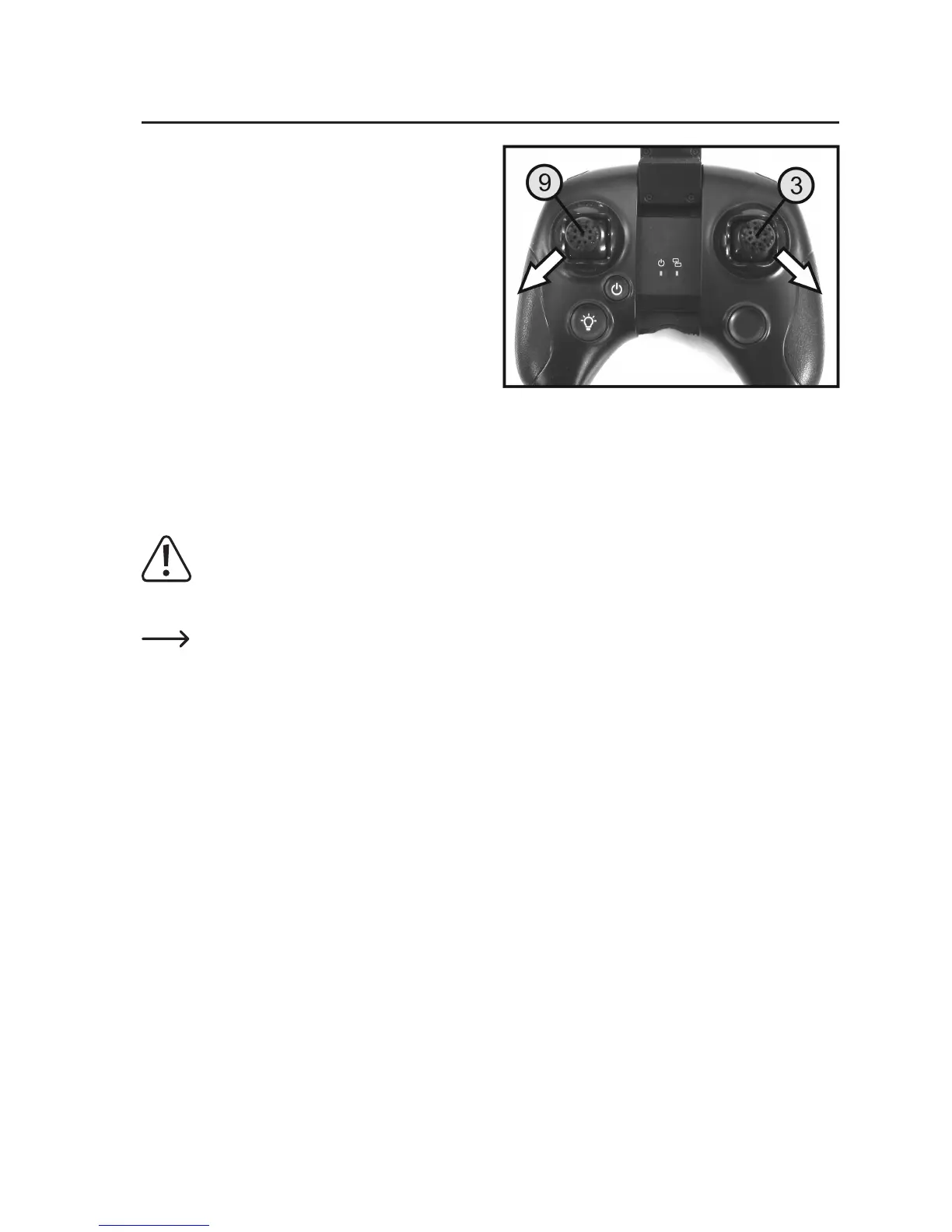
Move the left joystick (9) to the bottom left corner and the
right joystick (3) to the lower right corner (see arrows in
Figure 13). Hold the two joysticks in these positions, until
the propellers start and turn at low speed.
When the propellers are running, move the right joystick
back to the centre position and the left joystick to the lower
centre position.
If you move the left joystick gently from the lower position
upwards/forwards from the lower position, the quadrocop-
terwillsignicantlyincreasethepropellerspeedandtake
off.
With the right joystick, you can easily correct any drift forwards or backwards or to the side.
Oncethedesiredightaltitudehasbeenreached,movetheleftjoystickbackwardsslightlysothatthequadrocopter
hovers at the same altitude. The altitude can now be controlled separately with the left joystick.
Warning!
Donotjerktheleftjoystickdownwards/backwards,otherwisethequadrocopterwilldecreaseitsightal-
titudeveryquicklyandcrashheavily totheground.Carefullyreducetheightaltitudeslowlyuntilthe
quadrocopter lands safely.
To stop the propellers again after the quadrocopter has landed, the left joystick must be moved to the lower
left corner and the right joystick moved to the lower right corner (see Figure 13).
If thepropellers have come to a standstill, theight battery can be disconnected and thetransmitter
switched off.
Figure 13


 To Next Page