53
15. Trimming the quadrocopter
Ifyouthennoticethatthequadrocopterwantstoytotheleftorrightwithoutanycommandfromthetransmitter,
correcttheightbehaviourbytrimming.
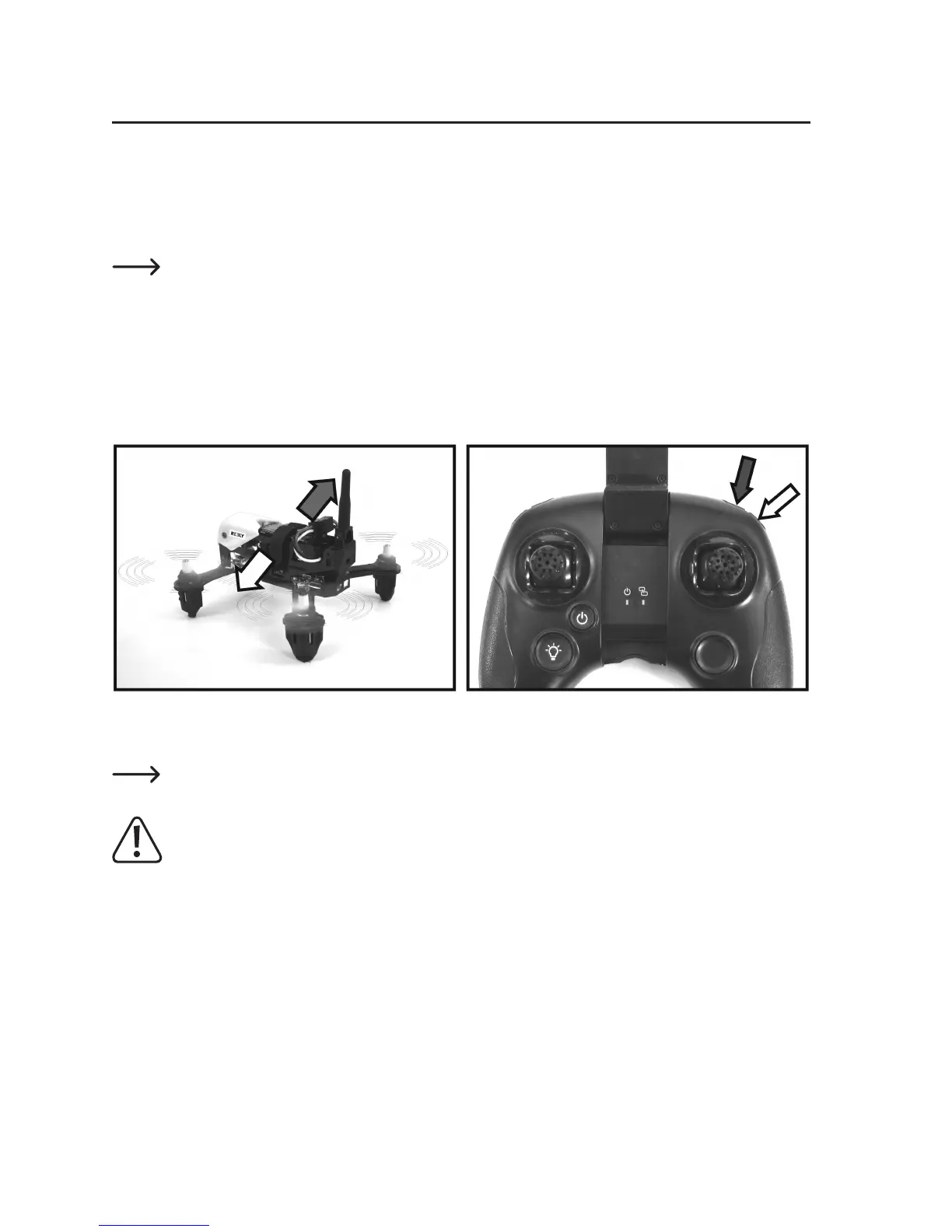
If the quadrocopter drifts or tips sideways to the right, reduce the speed until the quadrocopter once more stands
safely on its landing feet. Press the upper of the two trim buttons for the roll function several times (see Figure 14
dark arrow).
Everytimeatrimbuttonispushed,thetrimisadjustedbyonestepandtheadjustmentconrmedbya
short beep. When the button is pressed and held, the transmitter emits a quick sequence of beeps, and
thus indicates the step-by-step adjustment of the trim. Once the trim's end position has been reached, the
transmitter emits a long beep. The trim's centre position is also indicated acoustically by a longer beep.
Thencarefullypushthepitchjoystickforwardagainandcheckwhethertheadjustmentwassufcient.Repeatthe
procedure until the model does not show any tendency to drift to the right.
If the quadrocopter wants to drift sideways to the left, press the lower of the two trim buttons for the roll function (see
Figure 14, light arrow).
Figure 14
Ifyousubsequentlyhavethequadrocoptersecurelyundercontrol,youcanalsooptimallyadjustthetrimduringight.
The setting of the trim is saved in the transmitter. After you switch the transmitter on and off, the trim returns
to the last set position.
Warning!
If big adjustments have to be made to the trim, the position sensors require calibration. The procedure for
this is described in the following section.


 To Next Page