61
21. Maintenance and cleaning
Clean the exterior of the model and the remote control with a soft, dry cloth or brush only. Never use abrasive cleaning
agents or chemical solutions, as these may damage the surface of the housing.
The propellers must be moved smoothly and motor shafts should not be bent or have any play in the bearing. Propel-
lers that are cracked or bent or from which small pieces have broken off must always be replaced.
When replacing mechanical parts use only original spares available from the manufacturer.
The spare parts list can be found in the downloads section of our website (www.conrad.com).
You can also order the replacement part list by calling our customer service hotline. For contact details, please refer
to the "Introduction" section at the beginning of these instructions.
Changing the propeller
To change a propeller, proceed as follows:
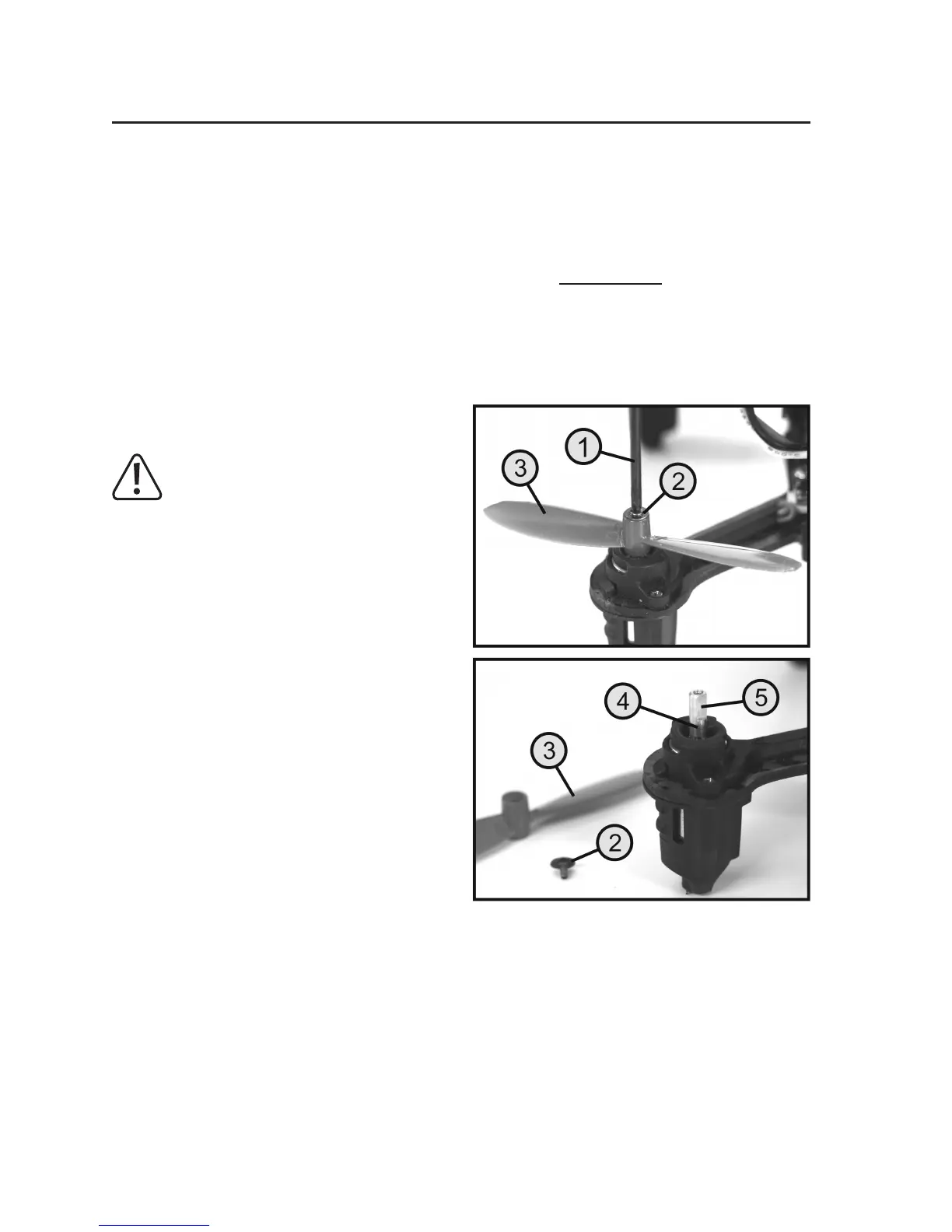
Loosen the fastening screw (2) with screwdriver supplied
(1), then fasten the propeller (3) to the motor shaft (4).
Warning!
If the propellers that turn clockwise (see Figure
6, propeller A), the fastening screws have a left-
hand thread! To loosen these screws, you have
to turn then in the opposite direction to normal.
After removing the screw, the defective propeller can be
slid upwards off the motor shaft.
When attaching a new propeller, make sure that the pro-
peller has the correct direction (A or B) and that it is in the
correct position on the shaft. So that the propeller cannot
turnonthe motorshaft,the motorshafthas aattened
section (5).
When the propeller is positioned correctly, tighten the hold-
ing screw again carefully making sure that the screw is
not damaged.
Figure 21


 To Next Page