46
12. Practical ight tips for starting the model
Werecommendthatyouchooseasufcientlylargeandfreeareaofapprox.4x4mforthersttestights,evenifthe
modelcanlaterbeoperatedinaveryconnedspace.
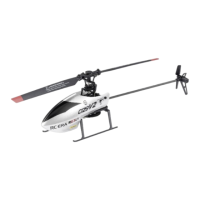
Position yourself directly behind the helicopter. This ensures that the model reacts to remote control commands (right,
left, forwards and backwards) exactly as you see them. If the cockpit is facing you, the helicopter will respond in the
opposite way.
Letthehelicopterascendtoeyelevelaftertakingoff.Youcanthusoptimallyrecognisetheightattitudeofthehelicop-
ter,whichismuchmorestablethanneartheground.Becausewhenthehelicopteriessolowthattheairblowndown
bytherotorsreachesdowntotheground(groundeffect),theightattitudeismuchmoreunstable.
Caution, important!
If the rotors hit any objects and become blocked or if the model overturns, turn off the rotor drive motors
immediately.
To do this, move the joystick for the pitch and tail function (see also Figure 1, no. 9) to the lowest position
and hold it in this position. Optionally, you can press and hold down the push button for the motor emer-
gency stop function (see Figure 1, item 10) for three seconds.
Never use the emergency stop function when the model is in the air, because otherwise it falls down on the
ground draftless and could be damaged.
Nevertrytograbtheyinghelicopterwithyourhand.Thereisanincreasedriskofinjury!
To avoid detrimental deep discharge of the helicopter battery, you must land the model immediately when the red LED
ontherearlandingbow(seeFigure7,no.5)startstoash.Ifyoudonotlandthemodel,itwillshortlyreducepower
andlandautomatically.Duringthistime,thehelicopterLEDashesquickly.
Allowthehelicopterbatteryandmodelhelicoptersufcienttimetocooldownbeforechargingorreplacingthebattery.


 To Next Page