LIGHTING AND SIGNALS
2
Getting to know your vehicle - 145
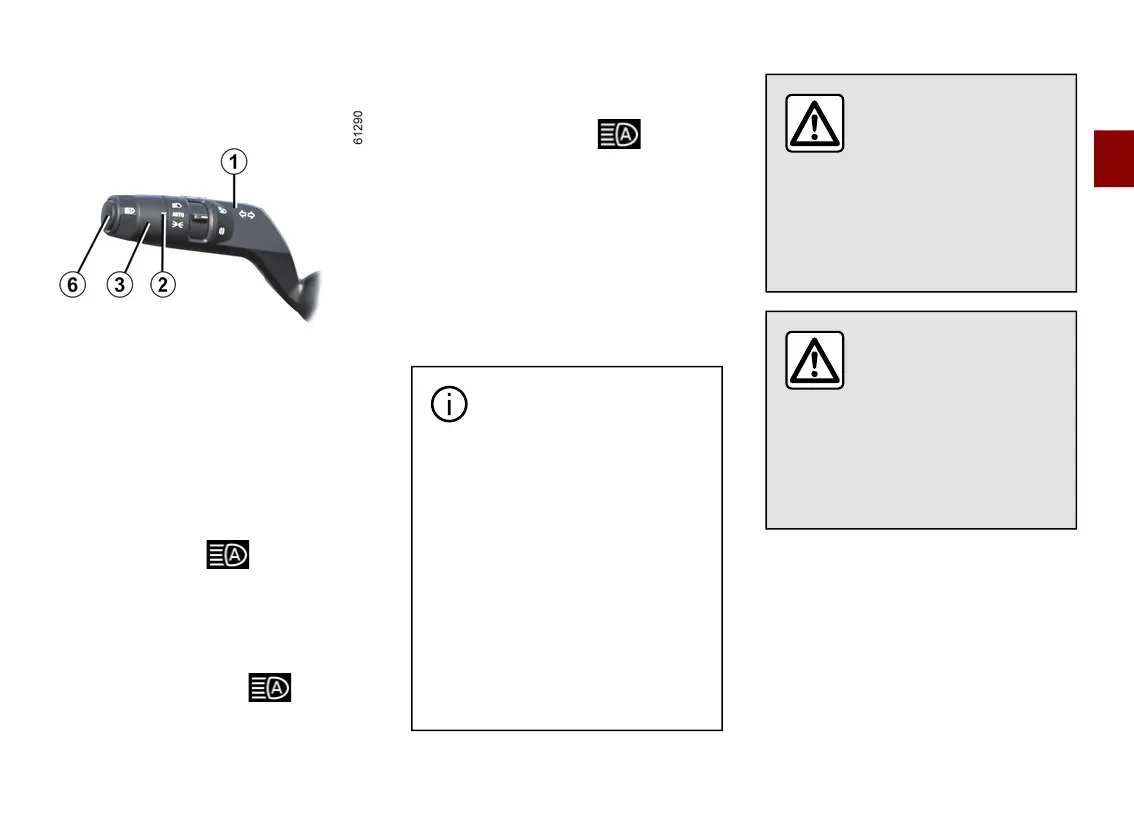
Activation/deactivation
To activate the automatic main
beam headlights
Rotate the ring
3
until the "AUTO"
symbol is opposite the mark
2
, then
press the switch
6
.
The indicator light ontheinstru-
ment panel lights up if the dipped
beam headlights are on.
To deactivate the automatic main
beam headlights:
Press the switch
6
: the warning
light disappears from the instrument
panel.
Note: when you push the stalk
1
, the
automaticmainbeamheadlightsfunc-
tion is deactivated, the warning
light disappears from the instrument
panel and the vehicle activates the
main beam headlights.
Operating faults
Ifthe"Checkautomaticlighting"mes-
sage appears on the instrument panel,
the system is deactivated.
Consult an approved dealer.
The system may encounter
difficulties under certain
conditions, including:
– extreme weather conditions
(rain, snow, fog, etc.);
– obstructioninfrontofthewind-
screen or camera;
– when a following or oncoming
vehiclehasweakorhiddenlight-
ing;
– incorrect settings for the front
headlights;
– reflecting systems;
– ...
Usingaportablenaviga-
tion system at night in
thewindscreenareabe-
lowthecameramaydis-
turbtheoperationofthe"auto-
maticmainbeamheadlights"sys-
tem(riskofreflectiononthewind-
screen).
The "automatic main
beamheadlights"sys-
temshouldundernocir-
cumstances be used to
replace the driver's attention and
responsibilitywithregardtovehi-
cle lighting and adapting to light,
visibility and traffic conditions.



 To Next Page