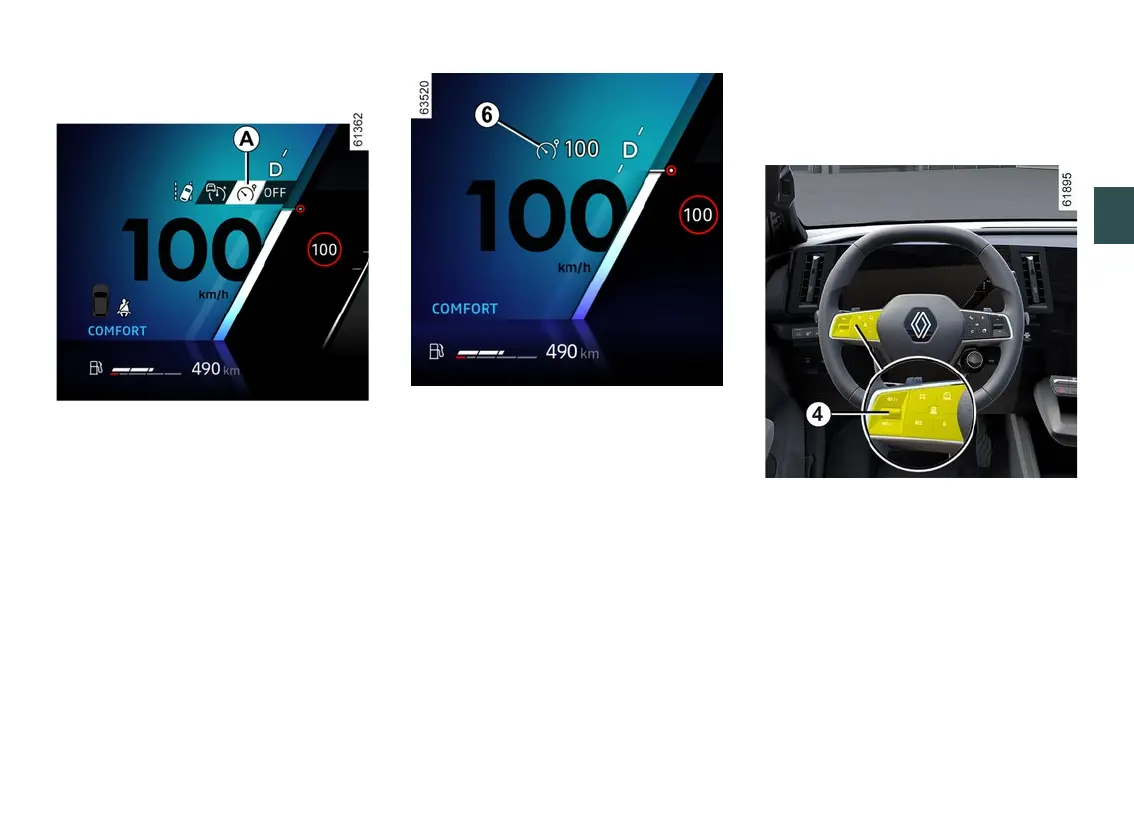
SPEED LIMITER
3
Driving - 249
Switching on
Press switch
1
asmanytimesasnec-
essary to select the speed limiter
A
.
The
6
warning light appears in grey.
The"Speedlimiterready:SETtoacti-
vate"messageisdisplayedonthein-
strumentpanelaccompaniedbydash-
es to indicate that the speed limiter
function is activated and waiting for a
limit speed to be stored.
Note: depending on the vehicle, when
the vehicle is started, the speed limiter
is automatically selected if the function
A
or OFF was selected the last time
the vehicle was stopped.
To store the current speed, press the
switch
4
upwards (SET/+)ordown-
wards (SET/-):thelimitedspeedre-
places the dashes and, depending on
the vehicle, the warning light
6
ap-
pears in white.
The minimum stored speed is 19 mph
(30 km/h).
Varying the limit speed
Youcanchangethelimitspeedbyre-
peatedly pressing or pressing and
holding on control
4
:
– upwards (SET/+) to increase the
speed;
– downwards (SET/-) to decrease the
speed.
Automatic speed limiter with
speed limit sign recognition
(depending on subscription: without a
subscriptionthisfunctioncannotbeac-



 To Next Page