PARKING AIDS
3
278 - Driving
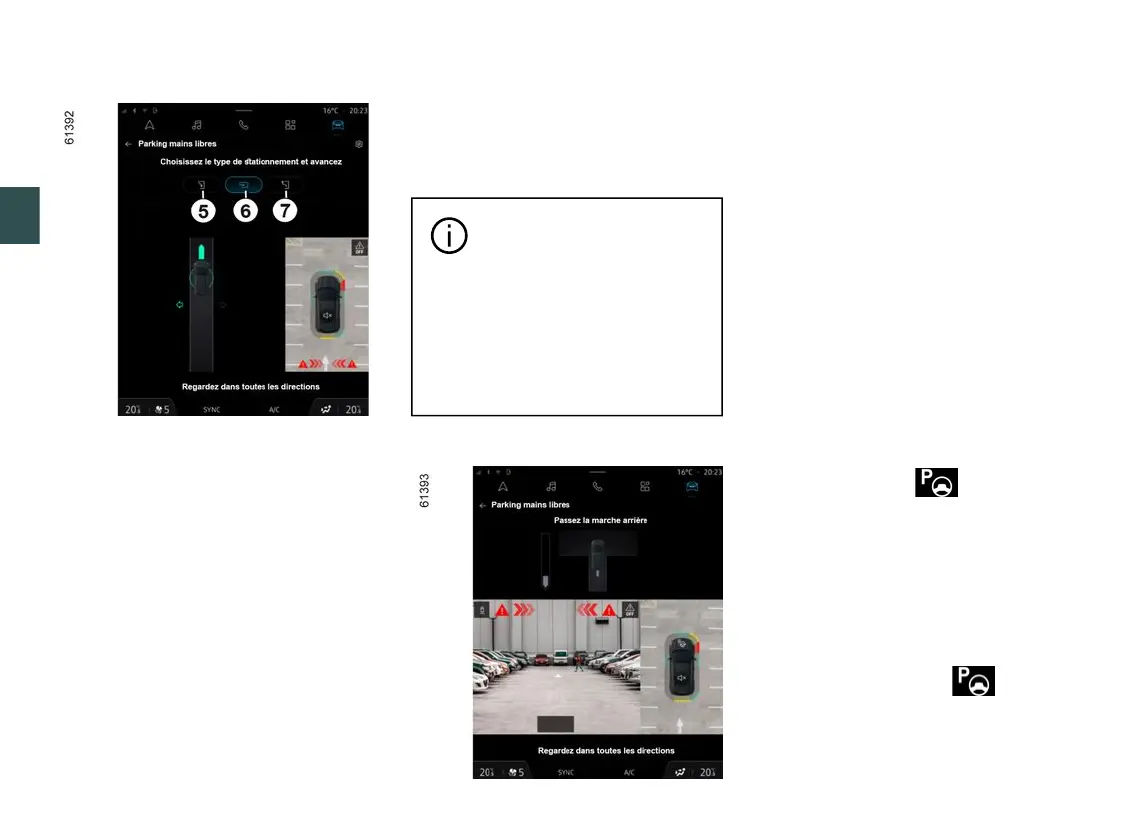
Choice of manoeuvre
The system can perform three types of
manoeuvre:
– parallel parking
5
;
– perpendicular parking
6
;
– moving out of a parallel parking
space
7
.
From the multimedia screen
4
, select
the manoeuvre to carry out.
Note:whenstartingthevehicle,oraf-
terhavingsuccessfullycompletedpar-
allelparkingusingthesystem,thede-
faultmanoeuvreproposedbythesys-
tem is assistance in exiting a parallel
parking space.
In other cases, the default manoeuvre
can be set from the multimedia screen
4
.
Pleaserefertothemultimediainstruc-
tions for further information.
Thesystemstartupisac-
companied by activation of
the parking distance control
and, on those vehicles equipped,
the reversing camera or 360°
cameratohelpthedrivervisu-
alise the manoeuvre 🡺268,
🡺274, 🡺282.
Operation
Parking
As long as the vehicle speed is less
than 19 mph (30 km/h), the system
looks for available parking spaces on
both sides of the vehicle.
Onceaspacehasbeenfound,itisdis-
played on the multimedia screen
4
,in-
dicated by the letter "P". Drive slowly
until the "STOP" message appears,
accompanied by a beep. If more than
one space is detected, you must select
the desired space by touching the
screen.
Thespaceturnsgreenonthemultime-
dia screen
4
and is marked with the
letter "P".
– Stop the vehicle;
– select reverse gear.
The indicator light lights up on
the instrument panel and a beep
sounds.
– Let go of the steering wheel;
– follow the system instructions on the
multimedia screen
4
.
Your speed should not exceed around
4 mph (7 km/h).
Once the warning light on the
instrument panel goes off and a beep
sounds, the manoeuvre has been
completed.



 To Next Page