PARKING AIDS
3
Driving - 287
From the multimedia screen, when the
"360° camera" system is displayed,
youcanchangetheviews(e.g.re-
place the rear view by the panoramic
rear view).
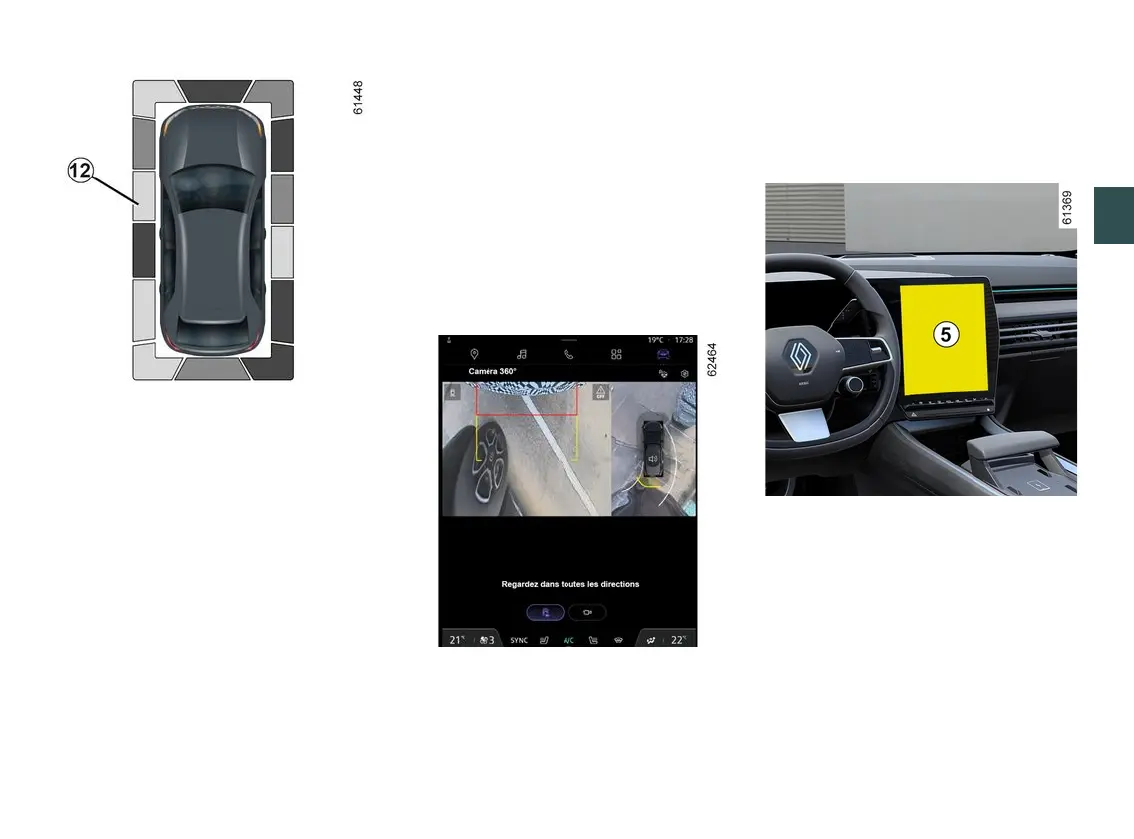
Obstacle detection
While the system is activated, if the
"Park Assist" function detects one or
more obstacles around the vehicle, the
indicator
12
isdisplayedonthevari-
ous views.
In addition to the audible warning,
these indicators show the proximity of
obstacles via different colours:
– green:obstaclebetweenapproxi-
mately 50 and 70 centimetres;
– yellow:obstaclebetweenapproxi-
mately 30 and 50 centimetres;
– red: obstacle within approximately
30 centimetres.
Theseindicatorsalsoshowtheloca-
tions where obstacles are detected, as
indicated by their positions in relation
to the "Vehicle" symbol.
For more information please see
🡺268.
"Auto zoom" function
If an obstacle is detected in the vicinity
of the front or rear of the vehicle, the
"Zoomauto"functionswitchesthecur-
rent display to a specific display (top,
front or rear view).
To activate or deactivate the "Zoom
auto"function,pleaserefertothemul-
timedia instructions.
Activation/deactivation
Automatic mode
Withthevehiclestationaryandtheen-
ginerunning,automaticmodeisacti-
vatedwhenthereversegearisen-
gaged. The rear view and the bird's
eye view appear on the multimedia
screen
5
.
Whenthereversegearisquicklyshift-
ed to forward gear, the rear view and
bird's eye view are replaced by the
front view and bird's eye view on the
multimedia screen
5
.



 To Next Page