PARKING AIDS
3
286 - Driving
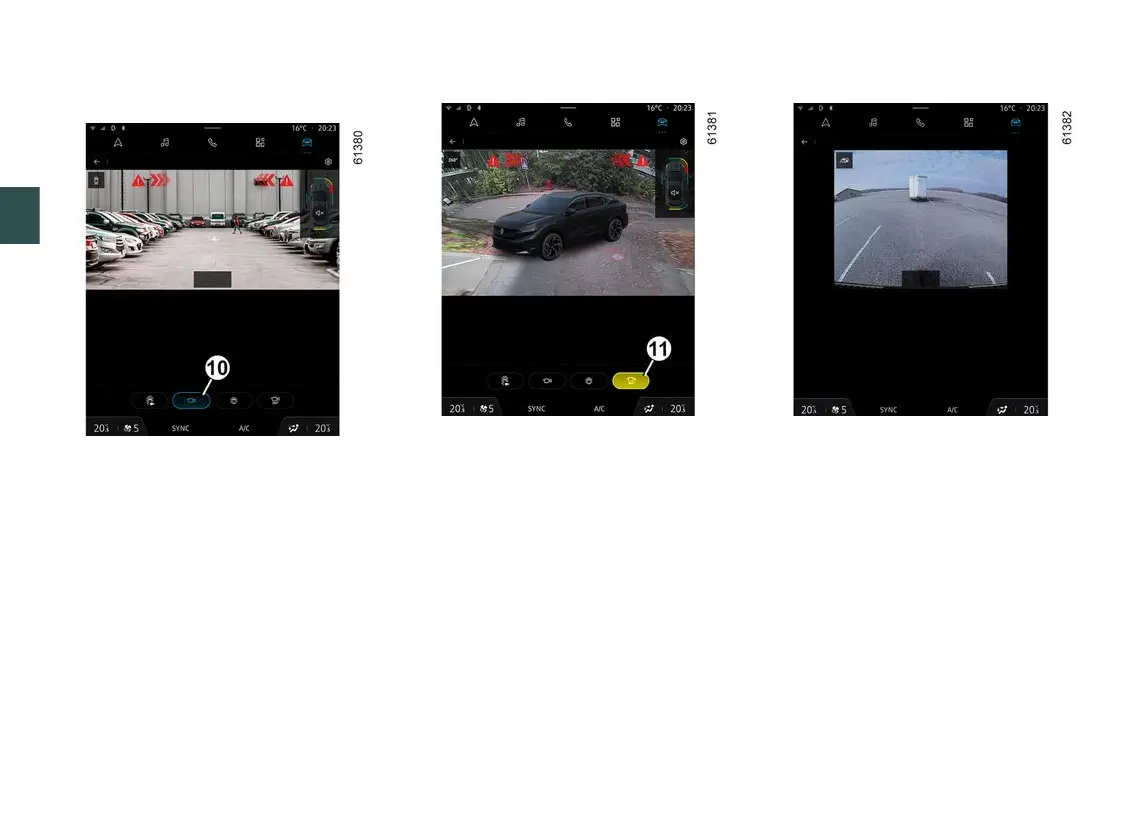
Front panoramic view or rear
panoramic view
On the multimedia screen, press the
dedicated button
10
for a panoramic
front view.
When reverse gear is engaged, the
front panoramic view is replaced by a
rear panoramic view.
Note: the front view or the rear view
varies depending on the steering
wheel angle, in order to improve the
driver's vision.
3D view
On the multimedia screen, press the
dedicated button
11
to obtain a three-
dimensional 3D view of the vehicle and
its surroundings.
Trailer view
In forward gear, if a trailer is attached,
pressthe"Trailer"buttonfromthe"Ve-
hicle" world on your multimedia screen
5
to enable the camera
3
to transmit a
view of the area surrounding the rear
of the vehicle during approximately 30
seconds.



 To Next Page