PARKING AIDS
3
Driving - 285
Inthecombinedrepre-
sentationfromthecam-
eras:
– raisedobjects(pavement,vehi-
cle, etc.) may appear distorted in
the bird's eye view;
– anyobjectsontopofthevehi-
cle are not displayed.
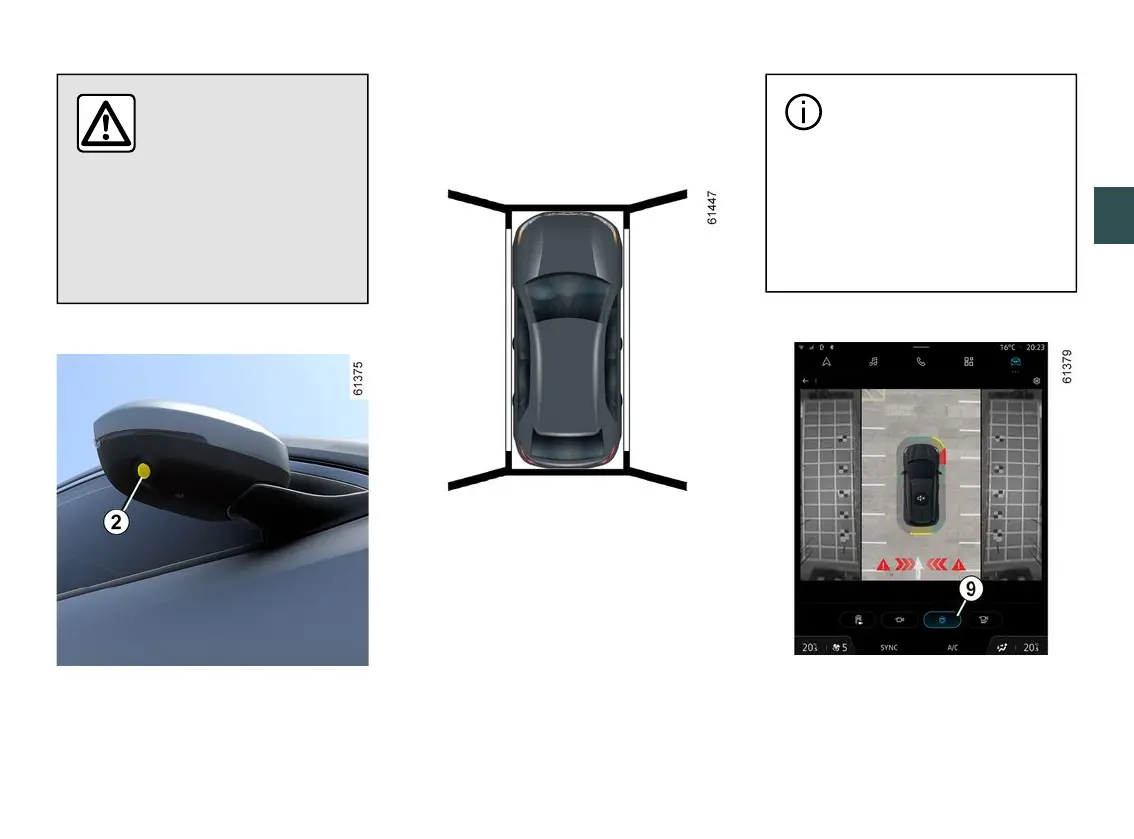
Front side camera
2
Camera
2
, fitted in the door mirror,
transmits a side view to the multimedia
screen
5
.
Depending on the vehicle, you can use
the multimedia screen to change the
bird's eye view to the front side view.
Pleaserefertothemultimediainstruc-
tions for further information.
Bird's eye view
Thebird'seyeviewisacombinedrep-
resentation from cameras
1
,
2
and
3
.
Itdisplaysaviewofthetopofthevehi-
cle and its surroundings.
This can be used to confirm a view of
thevehiclepositioninrelationtoitsim-
mediate surroundings (front, rear and
side).
In "bird's eye view" mode,
the objects displayed on
the multimedia screen are
actually further away than they
seem. Take this into account in
order to correctly assess the
distance before any manoeu
vre.
Side views
On the multimedia screen, press the
dedicated button
9
foraviewcombin-
ing a bird's eye view and two side
views.



 To Next Page