AIR VENTS, HEATING AND AIR CONDITIONING
4
310 - Your comfort
Press the button
15
and the built-in
warning light comes on. This function
enables rapid demisting or de-icing of
the rear screen and de-icing of the rear
view mirrors (on equipped vehicles).
To exit this function, press button
15
again. Demisting automatically stops.
"A/C MAX" function
The "A/C MAX" function enables the
user to feel the maximum power of
their air conditioning system without
any constraint or compromise related
to the acoustics and the feeling of the
air being too cold on the hands and
face.
Thisfunctioninvolvesautomaticmodi-
fications:
– temperature programmed to fully
cold;
– distribution of air to the occupants;
– air flow at its maximum power;
– activation of the air conditioning;
– air recirculation.
Press the button
12
to activate the
function. Deactivate ECO mode for
best performance.
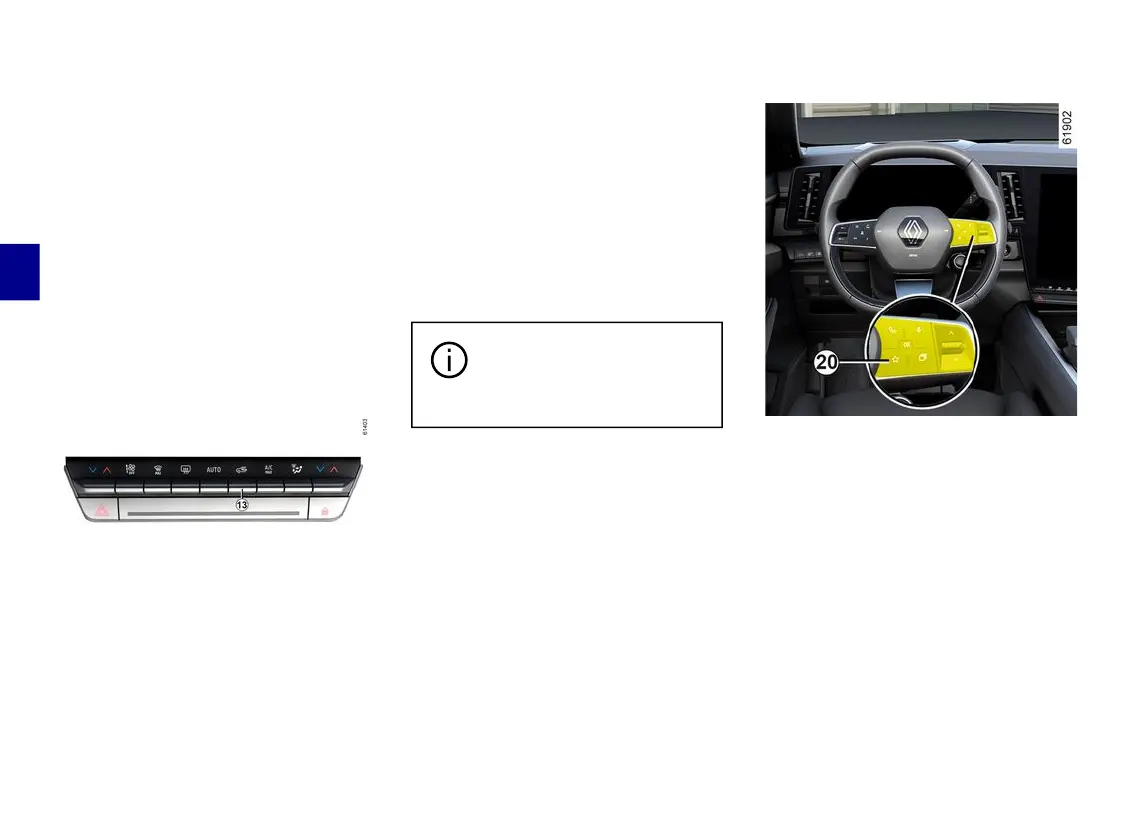
Air recirculation (isolation of the
passenger compartment)
Thisfunctionismanagedautomatical-
ly,butyoucanalsoactivateitmanual-
ly.Inthiscasetheoperationiscon-
firmed by a warning light built into the
button
13
.
Demisting/de-icing will still
takepriorityovertheairre-
circulation.
Manual use
Press the button
13
and the built-in
warning light comes on.
Prolonged use of this position may
lead to odours, caused by non-renewal
ofair,andtheformationofcondensa-
tion on the windows.
We therefore advise you to return to
automaticmodeassoonasairrecircu-
lation is no longer needed, by pressing
button
13
.
"Favourites" function
Depending on the vehicle, by pressing
the steering wheel control
20
, you can
activatethefollowingfunctionsaccord-
ing to the stored use settings that you
have previously defined:
– heated steering wheel;
– heated seats.
For more information on programming
thisfunction,pleaserefertothemulti-
media instructions.



 To Next Page