DIGITAL KEY
2
60 - Getting to know your vehicle
For more information, please refer to
the information on "Starting, stopping
the engine" 🡺160.
The smartphone must remain in the
vehicle throughout the journey.
Note:
If a digital key is being lent, you can
delete it by carrying out the revoking
procedure using the smartphone while
it is placed in the placement area
1
.
Otherwise, the deletion request is left
pending and is only confirmed once
theengineisstartedusinganotherdig-
ital key or a card.
It is necessary to place the
smartphoneintheplace-
ment area in order to start
and stop the engine and when
calibrating.
If the smartphone is no longer in the
passenger compartment when you try
to switch the engine off, a message is
displayed on the instrument panel:
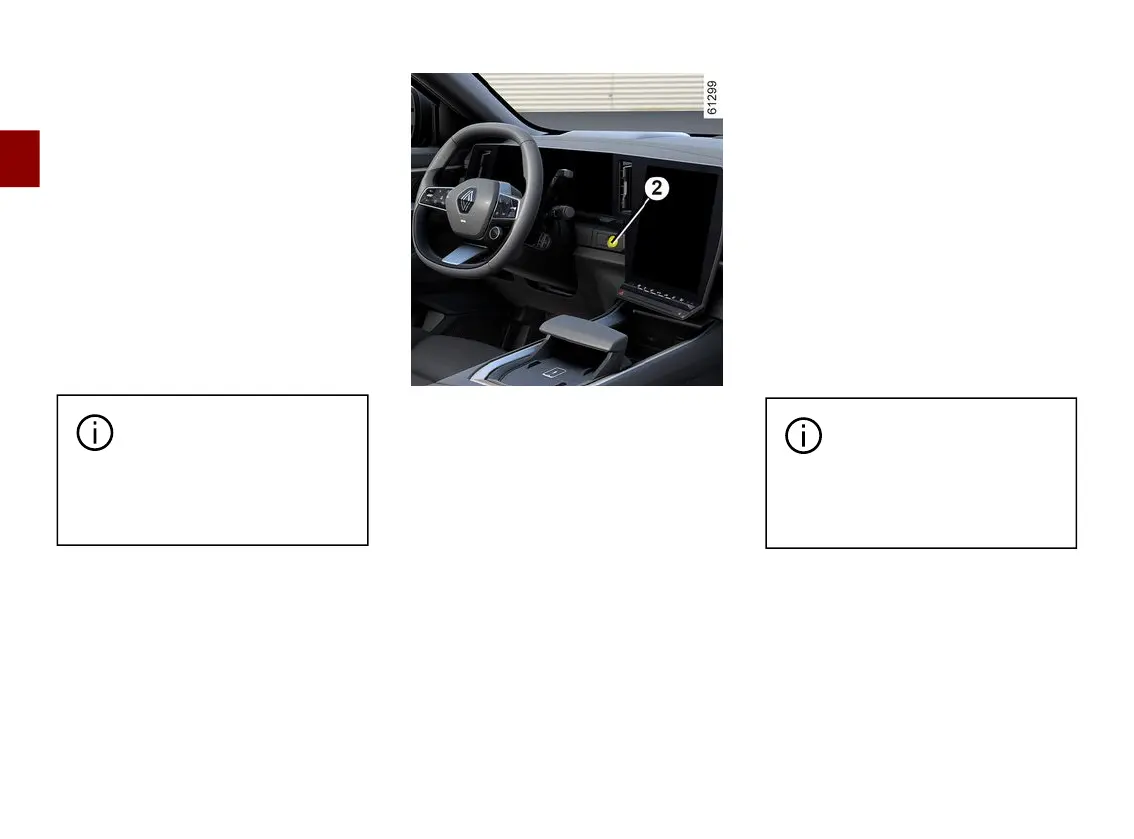
press and hold the engine start/stop
button
2
for more than two seconds.
If the smartphone is no longer in the
passenger compartment, make sure
you can retrieve it before pressing and
holding. Without a smartphone or card,
you will not be able to start the vehicle
again.
Special features of the digital
key
– For the digital key to remain active,
the smartphone concerned must be
connected to the Internet (via WIFI or
mobile network) at least once every 48
hours.Otherwise,connectyoursmart-
phone to the internet for a few minutes
sothatthedigitalkeycanbereactivat-
ed.
– Ifacardhasbeenleftinsidetheve-
hicle and the doors have been locked
with the digital key, all of the card's
functions will be inhibited. The card's
functions will remain inactive until the
engine is started again.
In this case, to start the engine you will
need to use either the digital key or a
cardotherthanthatleftinsidethevehi-
cle.
When the engine is started
or stopped, the smartphone
shouldalwaysbesufficient-
lychargedinordertousethedigi-
tal key.



 To Next Page