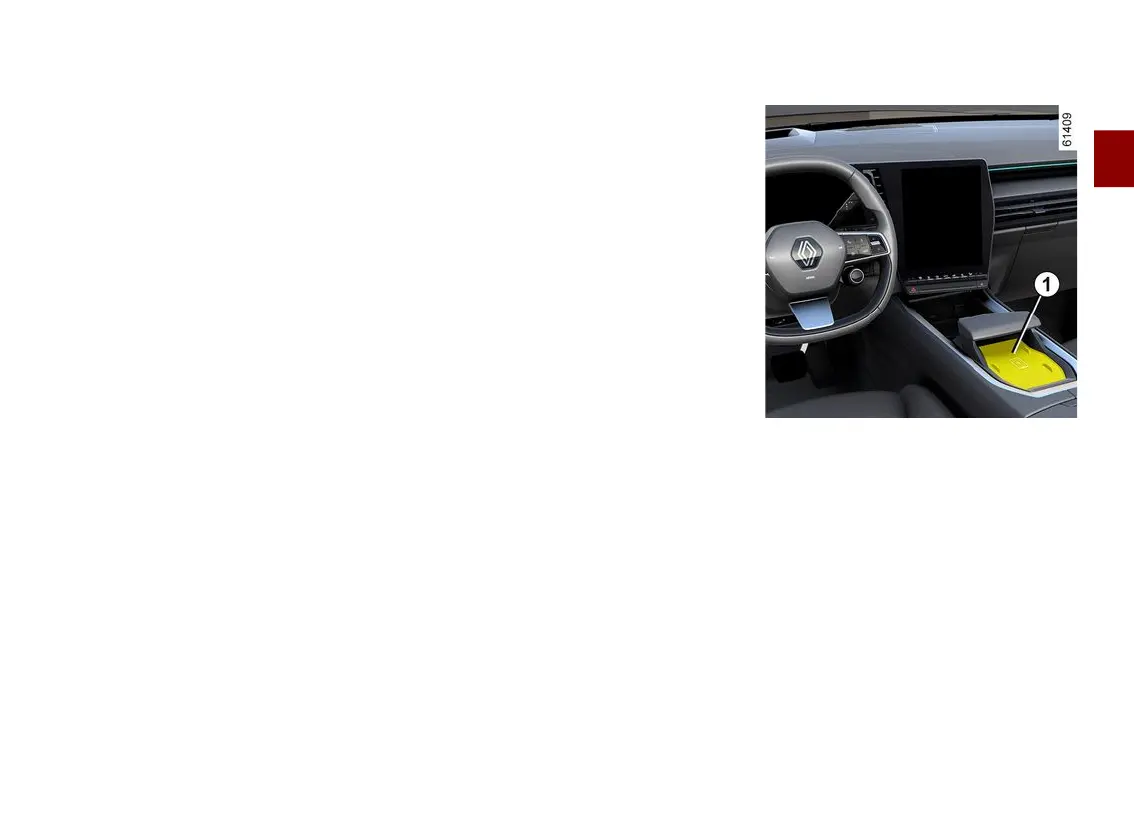
DIGITAL KEY
2
Getting to know your vehicle - 59
the internet throughout the procedure
(via Wi-Fi or mobile networks);
– the occasional user's digital key is
activatedoncetheprocedureiscom-
pleted.
Revoking a digital key
Theusercanindividuallyrevokeadigi-
talkey.Onceadigitalkeyhasbeenre-
voked, the user can activate a new
key.
For more information, please see the
manufacturer's application.
Activation/deactivation from the
multimedia screen
Itispossibletodeactivateandreacti-
vate the "Digital key" function so that
the vehicle does not communicate with
anydigitalkey.Pleaserefertothemul-
timedia instructions.
Note: deactivating the function will not
deleteexistingdigitalkeys.Itonlyde-
activatesthevehicle'scapacitytocom-
municate with them.
Locking/unlocking the doors
and luggage compartment,
deadlocking, remote lighting
The first time the vehicle is unlocked or
started using a new digital key or a
new smartphone, it will take several
seconds for the vehicle to identify the
digitalkeyinstalledonyoursmart-
phone.
Fromyoursmartphone,withBlue-
tooth® activated, open the
manufacturer'sapplicationanddiscov-
er the various functions available for
your digital key. They are identical to
those of your card.
Special features related to unlock
ing the opening elements
Under certain circumstances (e.g. after
eight days of the vehicle not being
used), it is not possible to unlock the
vehicle using a digital key: press the
luggage compartment opening button
then unlock your vehicle using your
digital key.
These functions are:
– locking/unlockingalltheopeningele-
ments 🡺52;
– locking/unlockingtheluggagecom-
partment (depending on the vehicle)
🡺52;
– deadlocking(dependingonthevehi-
cle) 🡺55;
– activating the lighting remotely 🡺50;
– remote sounding of the horn (allows
you to identify the vehicle from afar or
when parked in a crowded car park, for
example);
– starting/stopping the engine 🡺160.
Starting, stopping the engine
Upon first use and each time a new
smartphone is used, it is necessary to
calibrateyourdigitalkeywithyourve-
hicle.
To do this, activate Bluetooth® on your
smartphone then follow the procedure
from the manufacturer's application.
When calibrating, the smartphone
must be placed in the placement area
1
.
To start/stop the engine, the system
checks that the smartphone is present
in the placement area
1
beforeallow-
ing the engine to be started.



 To Next Page