CARD
2
Getting to know your vehicle - 55
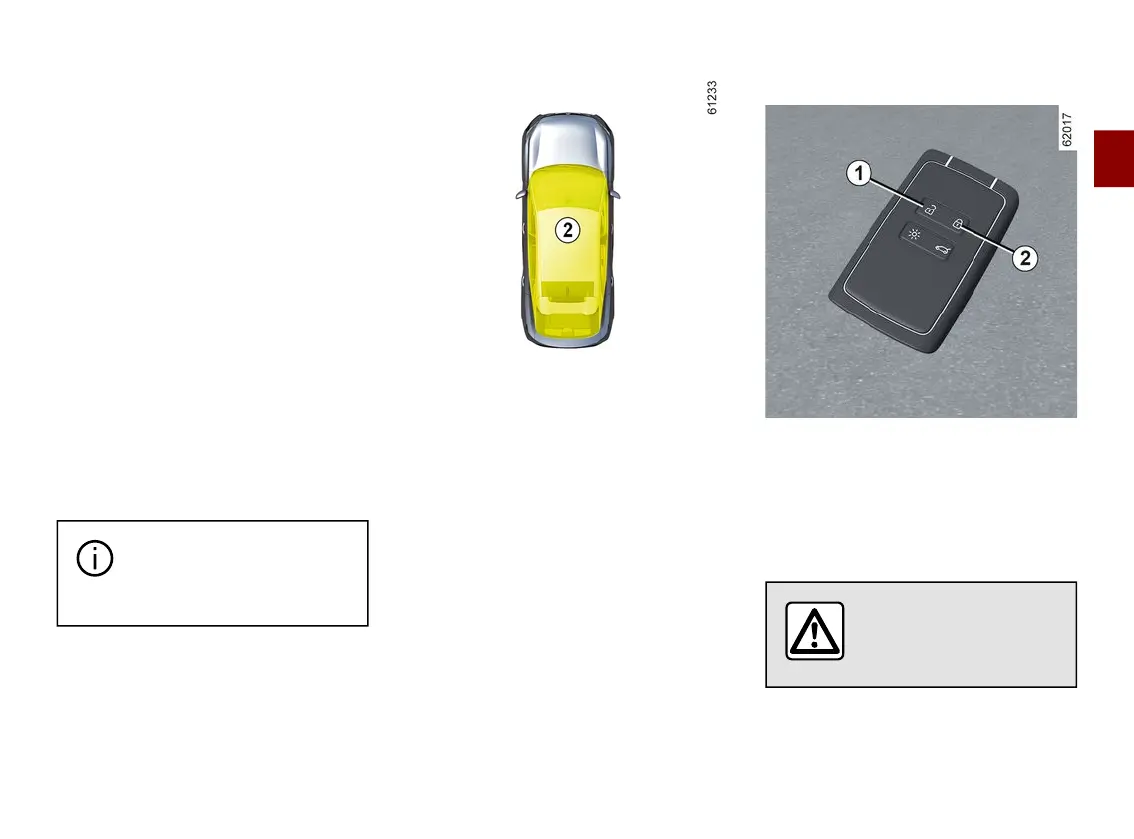
Locking using the card
Withthedoorsandluggagecompart-
ment door closed, press button
3
: the
vehicle will be locked.
The hazard warning lights flash twice
to indicate that the vehicle is locked
and, depending on the vehicle, the
door mirrors automatically fold in.
Depending on the vehicle, press and
hold button
3
to lock the vehicle and
close the front and rear windows.
Note:
– the maximum distance at which the
vehiclelocksdependsonthesur-
roundings;
– if a door or the boot is open or not
properly shut, locking is not carried
out. A beep sounds and the hazard
warning lights and side repeaters do
not flash.
Thecardbuttonsaredeac-
tivated when the engine is
running.
After a door is opened and closed
while the engine is running, if the
card is no longer in zone
2
, the "Card
not detected" message warns you that
the card is no longer in the vehicle.
This will, for example, prevent you
from driving away after dropping off a
passenger who has kept the card on
them.
The warning disappears when the card
is detected again.
Locking/unlocking the boot only
In the case of a vehicle equipped with
a manual (non-motorised) tailgate,
press the button
5
to lock/unlock the
luggage compartment only.
Deadlocking
Ifthevehicleisequippedwithadead-
locking function, this allows you to lock
the opening elements and to prevent
the doors from being unlocked using
the interior handles (for example, by
breaking the window and then trying to
open the door from the inside).
Never use deadlocking if
someone is still inside
the vehicle.
To activate deadlocking
Press button
2
twiceinquicksucces-
sion.



 To Next Page