1
2
NU650_12_G2-FRA.qxd 9/12/04 11:16 Page 2.06
TRAFIC - NU 650-12 X83
C:\Documentum\Checkout\NU650-12_T2-ENG.win 17/12/2004 7:17
-page6
2.06
GEAR LEVER HANDBRAKE POWER STEERING
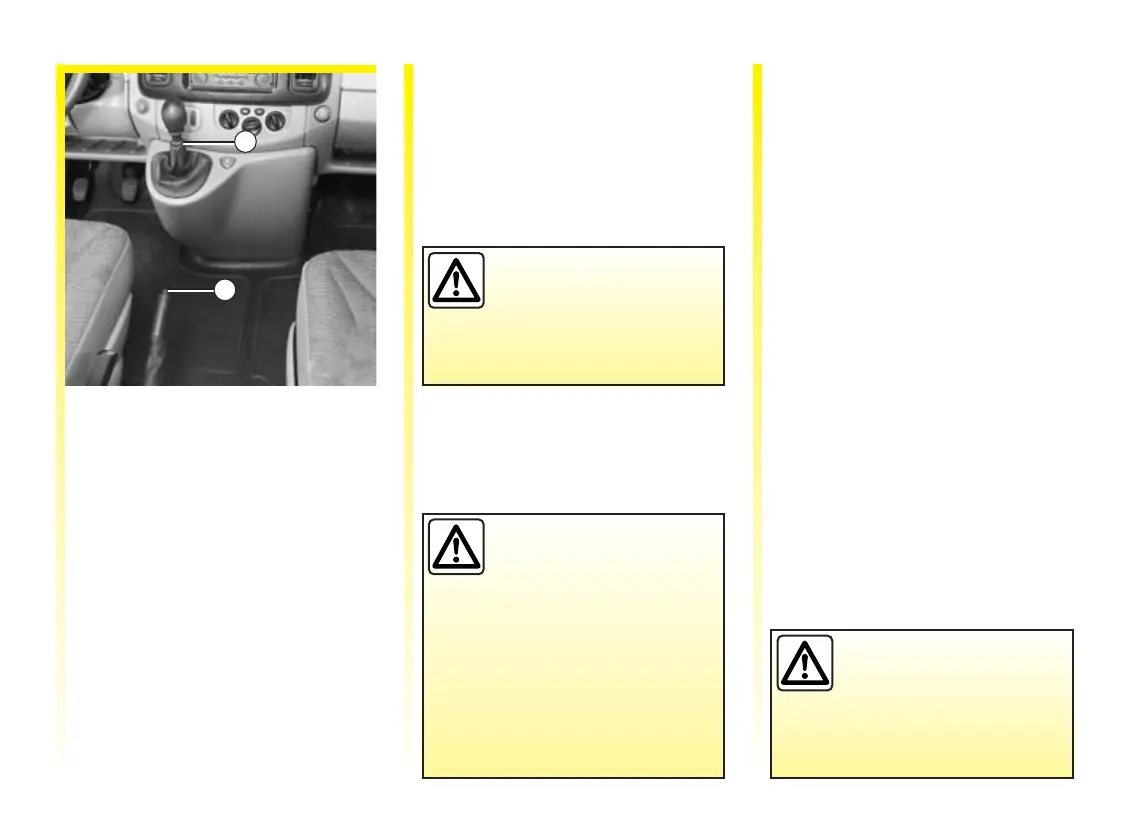
To select reverse gear (vehicle
stationary)
Move the lever to neutral, then
position the lever in reverse.
Ring 1 has to be lifted up to the gear
lever knob to select reverse gear.
The reversing lights will light up as
soon as reverse gear is selected
(with ignition on).
To release:
Pull up the lever slightly, press
button 2 and then lower the lever to
the floor.
Theredwarninglightonthe
instrument panel will light up if
you are driving with an incorrectly
released handbrake.
Make sure that the
handbrake is properly
released when driving,
otherwise overheating
may occur.
To apply:
Pull the lever upwards and make
sure the vehicle is immobilised.
Depending on the slope
and/or vehicle load, it
may be necessary to pull
up the handbrake at least
two extra notches and engage a
gear (1st or reverse gear) for
vehicles with manual gearboxes
or position P for vehicles with
automatic gearboxes.
Never leave the steering wheel on
full lock when the vehicle is parked
if you have power assisted steering
fitted as this may damage the pump.
Never switch off the
ignition when travelling
downhill, and avoid
doing so in normal
driving (power steering and
brake servo will not function).













 To Next Page