- 9 -
5.4 Automatic switch-on for automatic operation
Only delivery, the switch-on automatic is set in such a way that operation with the most handpieces is
possible�
If the suction to a connected electrical appliance (e�g� a handpiece) does not react as required (e�g� does
not activate, even though a connected device is in operation) then the switch-on threshold for automatic
operation must be adjusted�
To change:
⇒ Switch suction on
⇒
Press for 3 sec�
♦ LED
and blinken
♦ inthedisplaya„0“blinks
⇒ Switch off electrical devices without standby mode�
⇒ Electrical device with a standby mode (e�g� handpieces), switch to standby mode (e�g� with a hand-
piece, switch only the control unit on without activating the handpiece)�
⇒
Press key
♦ inthedisplay„1“blinks
⇒ An electrical device without standby mode must be switched on�
⇒ Operate the handpiece at the speed at which the suction is to be started and run for approx� 3 - 5 sec-
onds (so that overcurrent during start-up is not detected)�
⇒
Press key
♦ An acoustic signal acknowledges the information�
For devices with standby mode, these should be switched on approx. 5 minutes before setting to
avoid incorrect measurements.
5.5 "Changelter"-display
♦ Indicator LED (K) lights up, 3 beeps sound�
⇒ Change dust bag (see chap� 6�2)
or
⇒ Replacenelter(seeChap.6.3)
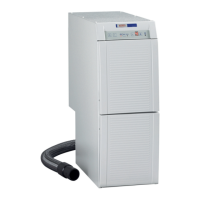
Ifthesuctionunitcontinuestobeoperateddespitethe“Changelter”display,itstopsautomati-
callywhentheairowfallsbelowaxedsetvalue.
Atthesametime,theLED(K)ashes.
By switching OFF and ON, this detection is deleted and the suction starts again.
Operationwithacloggedltersystemmaycausehazardsandthesuctionunitmaybedamaged.
Ifthesuctionstopsautomaticallywhenthelterisfull,besuretochangethelter.
5.5.1 Adjustthesensitivityofthe„Replacelter“indicator
It may be necessary to reduce responsivity if the suction support of the connected appliance has
a smaller diameter than the Silent TS. (<< 32.5 mm).
The„Replacelter“sensitivitycanbeadjustedwithinlimits.
To do this:
• Switch the Silent TS off;
• Switch the Silent TS on, and in doing so keep the
buttonrmlypresseduntilthedisplaybeginsto
blink� (5 = factory set parameter)
•
Press button,
- Reduce level of sensitivity,
- „Changelter“signalwillappearlater.
- ==> Dust bag will get very full
•
Press button,
- Increase level of sensitivity,
- „Changelter“signalappearsmorequickly.
- ==> Dust bag will get less full
•
Press button,
- Accousticsignalconrmssuccessfuladjustment.
en


 To Next Page