5.0 TROUBLE SHOOTING.
If the system exhibits poor repeatability or gives spurious readings, all aspects
of the installation and operation should be investigated (eg operating
method/conditions, software etc).
5.1 COLLISIONS.
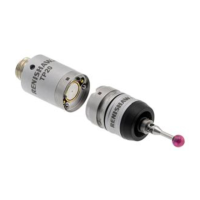
In the event of collision, re-calibration of the probe is necessary.
5.2 DIAGNOSTIC LEDS.
Diagnostic LEDs have been incorporated in this product to assist installation and fault
finding. These can be viewed by removing the M20 Viewing Plug located on the side
of the TSA base as per figure 35 on page 61 of the TSA Installation and User’s
Guide. The LEDs are mounted on the PCB and assigned as follows:
LED name Colour Lit when
Move Command Green
‘Move’ command
received
Direction Command Red
‘Move to Active’
command received
Stow Confirm Amber
Arm reaches Stow
position
Active Confirm Green
Arm reaches Active
position
Probe Status Red
Arm in Active and probe
triggered or arm is in
Stow
Inputs Outputs LEDS
Move
L=Move
H=Stop
Direction
L=Active
H=Stow
Trigger
Input
Active
Confirm
Stow
Confirm
Probe
Out
Probe
Out
Move
LED on
Green
Direct
LED on
Green
Stow
LED on
Red
Stow
LED on
Amber
Trigger
LED on
Red
Move Stow H L L H
ü ü ü
Active L H ü ü ü
Stop Active L H ü ü
Note: A resettable fuse is incorporated in the circuit. This will automatically
reset 30 seconds after the power is removed.
16



 To Next Page