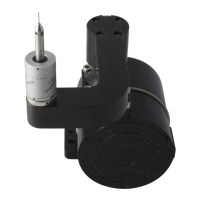
When down in the ‘Active’ position, ensure: - ‘Stow’ status LED is OFF
‘Active’ status LED is ON
If the LEDs do not show the correct status, consult section 2 (a) of Fault Diagnosis.
Attempt to rotate the hub by applying slight hand pressure to the arm in the ‘Stow’
and ‘Active’ directions. Ensure there is no rotational movement of the hub with
respect to the base in either direction. If the hub can be moved freely consult section
2 (e) of Fault Diagnosis.
Drive the hub to a position halfway between ‘Stow’ and ‘Active’ and switch off the
power to the TSA.
Holding the hub casting firmly by hand, rotate it in both directions using moderate
force. The maximum permissible rotation is 2°. If the hub can be moved further than
this consult section 2 (e) of Fault Diagnosis.
Switch on the power to the TSA and allow the hub to continue to its ‘Stow’ position.
Disconnect the power to the TSA before removing it.
2



 To Next Page