2.5 Time, Date and Stopwatch
Time and Stopwatch
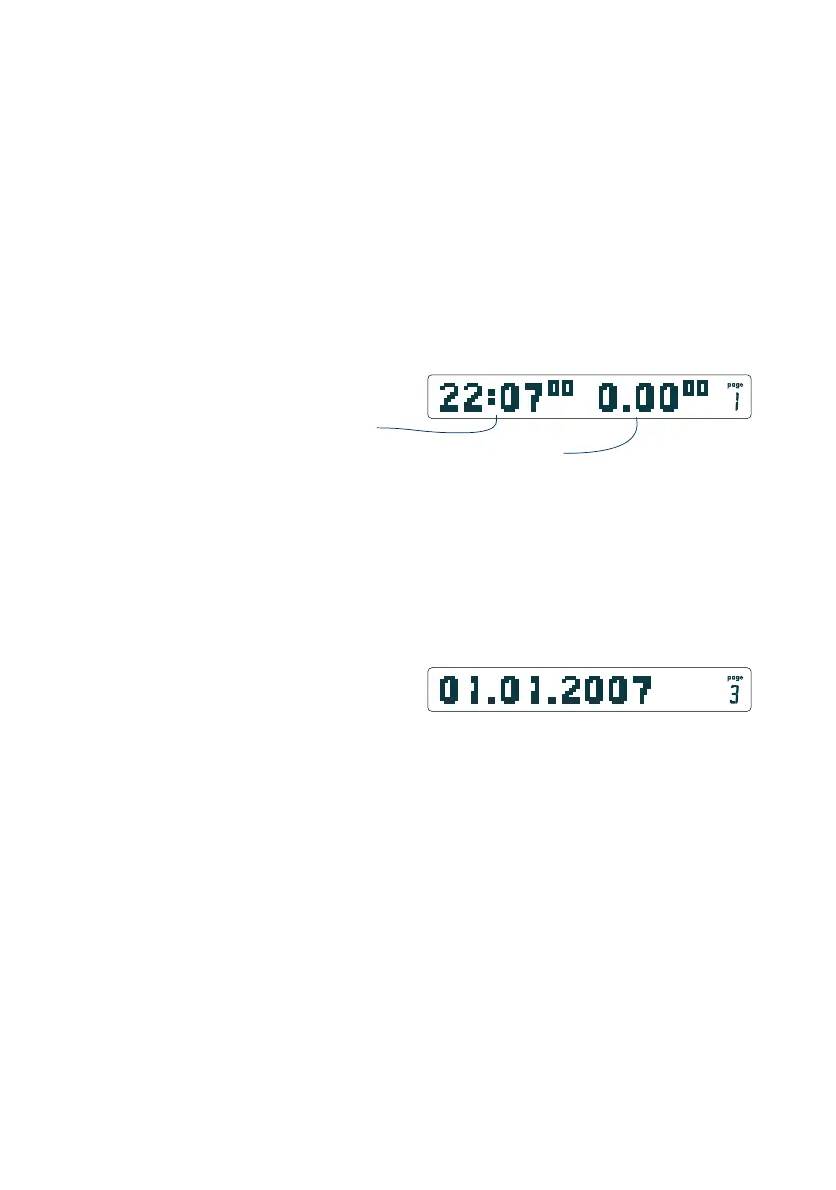
On page 1 time appears on the left and a stopwatch on the right.
The stopwatch can be started manually by a long push on the
Logger-Button, or starts automatically when the instrument
passes through a change in altitude beyond 15 m.
The date is shown on page 3.
Hint: A manually stopped time will generate an entry in the
logbook!
Important: On the OLC version, logging is started this way by
hand. So if you want to use only the stopwatch, ensure that the
GPS has been switched off (see 2.8).
Tip: Fast-adjustment
If the page display shows time, a long push on the page button
opens the time-adjustment-menu. Adjust time to the desired
values by turning the Rotary-Button and confirm with a brief
push.
Date
Date is displayed on page 3.
Tip: Fast-adjustment
If the page-display shows date, push and hold the page-button
to open the date-adjustment-menu. Adjust date to the desired
values by turning the Rotary-Button and confirm with a brief
push.
16
2.6 Logbook / OLC-Logbook**
The CoMoAV stores the minimum and maximum values of the
last 63 flights automatically in the logbook.
2.6.1 Logbook Autostart
The logbook will start automatically when a 15 m altitude change
is measured. If you have the OLC-Logger version and the GPS is
switched on then 3D logging will also be activated (in a separate
memory).
The displays changes after activation to the time-stopwatch
display page.
time
stopwatch (logbook)
time and stopwatch page
date page
** only with Add-On "…GPS" and Add-On "OLC-Logger"


 To Next Page