2.8 GPS*
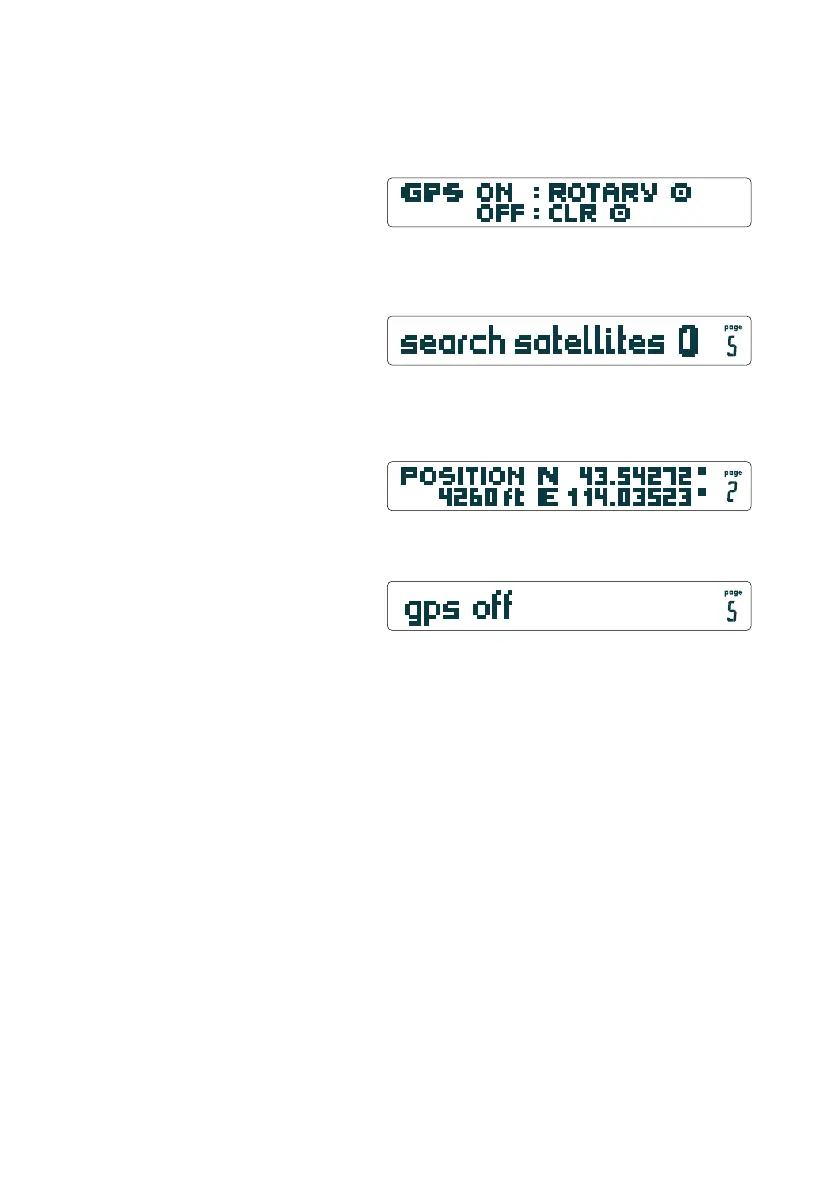
After switching on the CoMo AV (with Add-On GPS) you are
asked if you intend to switch the GPS on or off.
Activate the GPS by a brief push on the Rotary-Button. The
pageline reads:
When the GPS has found 4 satellites, the present position is
indicated:
If the GPS is not needed, push the CLR-button. When you call up
the GPS-page, it reads:
20
Hint: A long push on the Page-Button (while GPS page is displayed)
will get you into the GPS on/off switching menu.
Important Note: The GPS Module must not be covered, as this
could spoil the reception. The fewer the obstacles (trees, buildings,
rocks etc.) the better it will perform. Indoors it will not work at
all.
We distinguish between "Cold-Start" and "Warm-Start".
2.8.1 Cold-Start
After changing the batteries, or after having moved to another
location, the GPS cannot refer to stored information. This can
delay the location of your position by as much as 15 minutes.
2.8.2 Warm-Start
If the GPS is activated at the same spot as it was last turned off
it can quickly find its position again (1-3 minutes) using stored
data.
Hint: Turn on your GPS as soon as you arrive at the take off area,
to give it maximum time for orientation. When a position is
identified, turn the GPS off and you are ready for a quick "Warm-
Start" when you actually begin your flight.
GPS Page
GPS Page
GPS Page
first page
on all GPS models
* only with Add-On "…GPS"


 To Next Page