4 Softwareupdate via Internet
You will find on our webpage www.renschler.de under support
and download the latest version of the CoMo software.
Compare the software revision number (see under menu and
device information) of your CoMo with the version number in
the internet.
If the internet number is higher, you can do an update via internet
(USB interface required).
The following steps are necessary for an update:
Important: To avoid software damage never perform an update
when the batteries are weak. Should they fail during the update
you will have to return your CoMo to the factory for repair!
a) The CoMo must be detected by your PC, otherwise you have
to get the USB driver from www.ftdichip.com.
b) You need to download our flashloader program from our
website or use the one delivered with your CoMo CD.
c) Download the update software to your PC.
d) Install the flashloader by double clicking the file
"flashloader.exe".
e) Connect the CoMo via USB to your PC
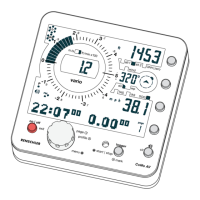
f) Turn on the CoMO into the special software update mode by
pressing simultaneously the on key plus the clr and alt key.
"start software update at the pc" appears in the page display.
26
Important: The Maxpunkte program only supports Com-Port
numbers up to 9. If your PC assigns a higher number to the CoMo,
then you have to use the device manager menu of Windows to
select manually a Com-Port number below 9.
Tracklogs can only be transferred one at a time.


 To Next Page