27
h) After the update has finished, (sometimes with a stop) first
remove the USB cable and then switch the CoMo off.
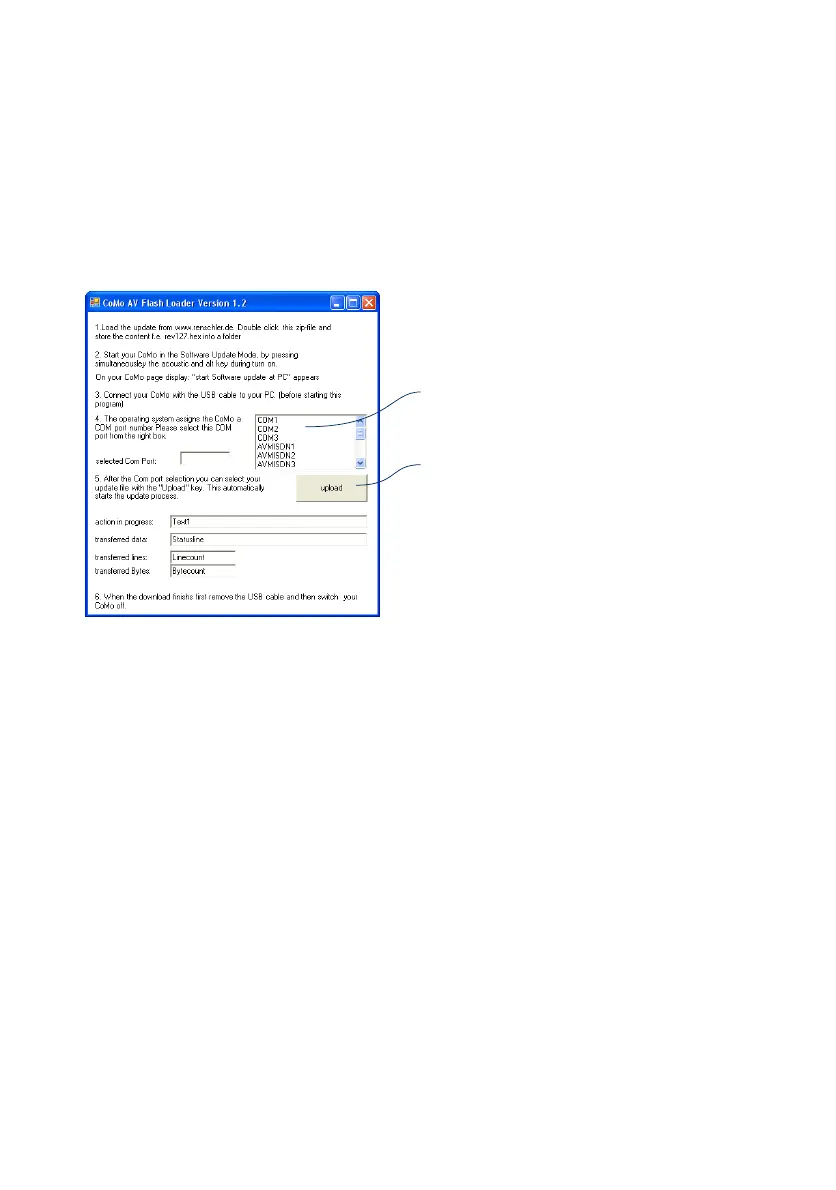
g) Start the Flash-Loader program and follow the instructions
on the PC screen:
select Com-Port
"upload" opens the selection screen.
Choose the new software-file "... .hex".
Hint: Run the Flash-Loader once without connecting the CoMo
and memorise the serial ports shown in the box. Then connect
the CoMo and restart the program. Your CoMo connects to the
port which is now shown in the box!
After a successful upload the program closes automatically.


 To Next Page