24
3.3 OLC-Logger Page and Indication
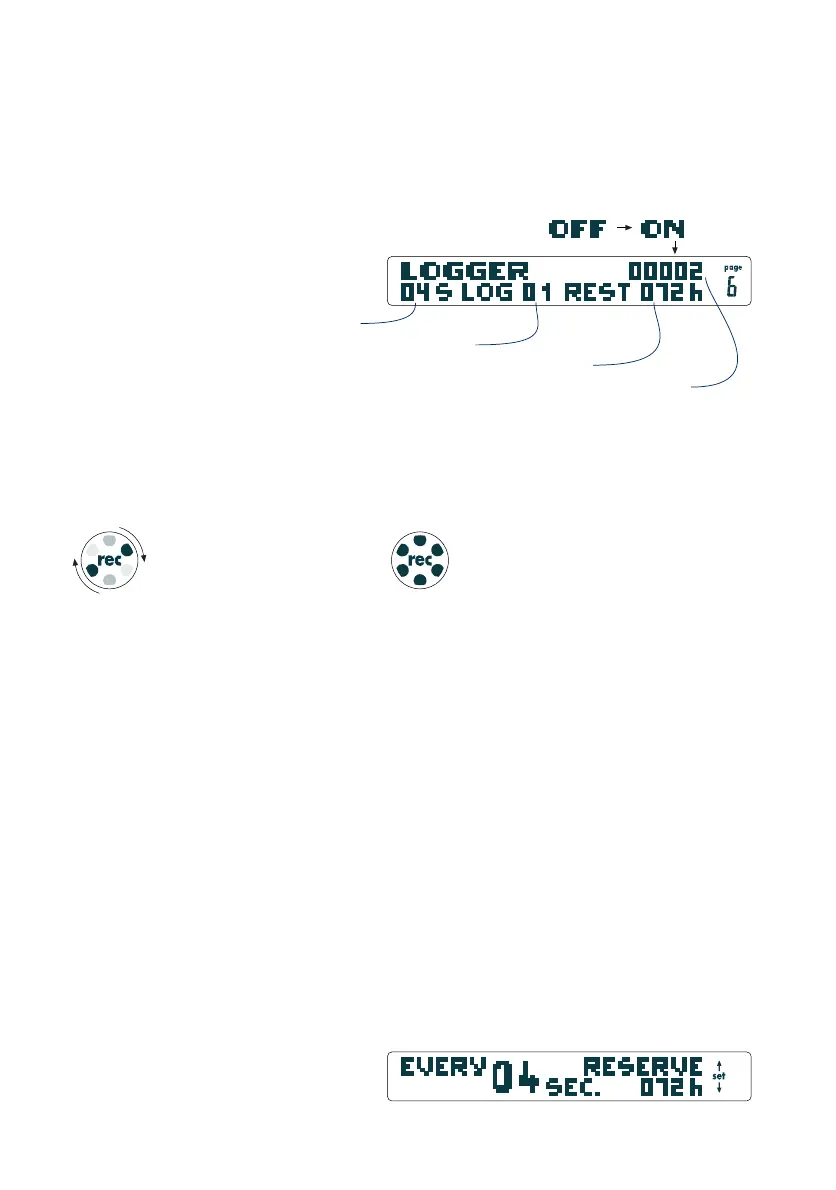
OLC logger page:
The page shows the current state and settings (on, off, number
of logged points, recording interval, Log number and remaining
logging capacity in hours).
3.4 Logbook
On the OLC version the tracklogs are marked as "log" instead
of "flight" in the logbook (see 2.6 logbook).
OLC-Logger Indication:
Logger activity is permanently indicated even while you are using
other pages than the Logger page or the time/stopwatch page:
3.5 Logger Settings
3.5.1 Logger Sampling Rate
A capacity of 65535 tracklog points is available. Depending on
the interval between tracklogs your recording time can be up to
558 hours (recording interval set to the maximum of 31 sec.).
As a rule of thumb there are 18 hours capacity with a log sampling
rate of once per second.
We recommend an interval of 3 and 6 seconds between each
log (giving 54 to 108 hours recording time). The resolution is
good enough to display individual 360s, and to provide accurate
graphics of thermals, etc.
The intervals between tracklogs can be set under: logger, set
logger sampling rate, … .
OLC-Logger Indication
Loggermenu Display
If dots are rotating the logger
is recording properly.
If all dots are flashing,
GPS data are insufficient.
record interval in seconds
number of tracklogs
remaining record time
number of logged points
OLC-Logger Page


 To Next Page