2.6.2 Logbook Manual Start
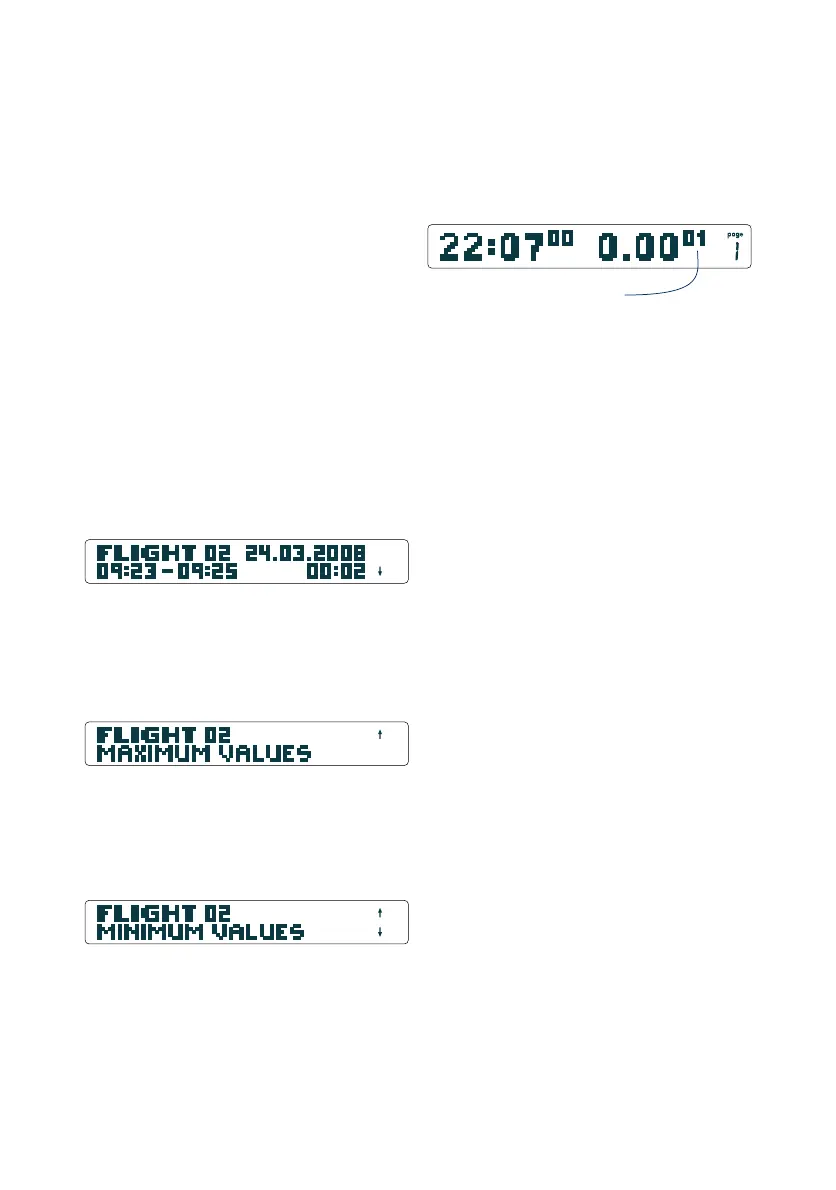
The logbook can also be started manually by a long push on the
Logger-Button. The indication skips automatically to the
time/stopwatch-page and the stopwatch starts running.
Logbook Evaluation
The Logbook is accessible through the menu (long push on the
Rotary-Button, then turn until the display reads "Logbook"). A
brief push on the Rotary-Button will open "flight 1" (latest flight).
Three pages are shown for each flight.
The first page of the logbook gives basic information:
- Flightnumber, - Date
- Takeoff- and Landing-time, - Flight duration in hours and minutes
- Takeoff altitude (in Altitude-indication)
Turning the Rotary-Button clockwise leads to maximum values:
- max. climb rate (Analog-Vario), - max. averaged climbgrate
(Digital-Vario), - max. Altitude, - max. Temperature,
- max. SOG (only in combination with a GPS Module)
Another clockwise turn leads to minimum values:
17
- min. climb rate (Analog-Vario), - min. averaged climbrate
(Digital-Vario), - min. Altitude, - min. Temperature
The next clockwise turn leads to flight 2, page1, ... etc.
Stopwatch running,
flight will be recorded
time and flight duration


 To Next Page