EN 129
➑
➒
➐
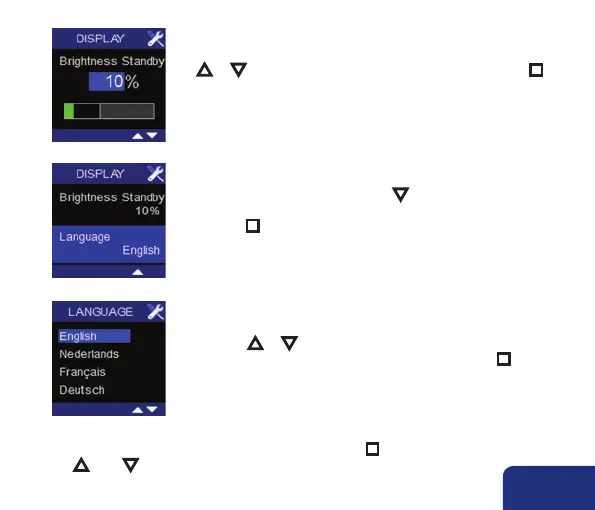
A value between 0% and 40% can be entered by pressing
▲ or ▼. Confirm and save the selected value by pressing n.
• Language lights up by pressing ▼. This is the language that is
used in the USER MENU. Default this is set to English.
Press n to change the language.
You can choose between English, Dutch, French or German by
pressing ▲ or ▼.
Confirm and save the selected language by pressing n.
• In order to leave the USER MENU – DISPLAY, hold down n for 3 seconds or shortly press
both ▲ AND ▼.



 To Next Page