6-2
Operation
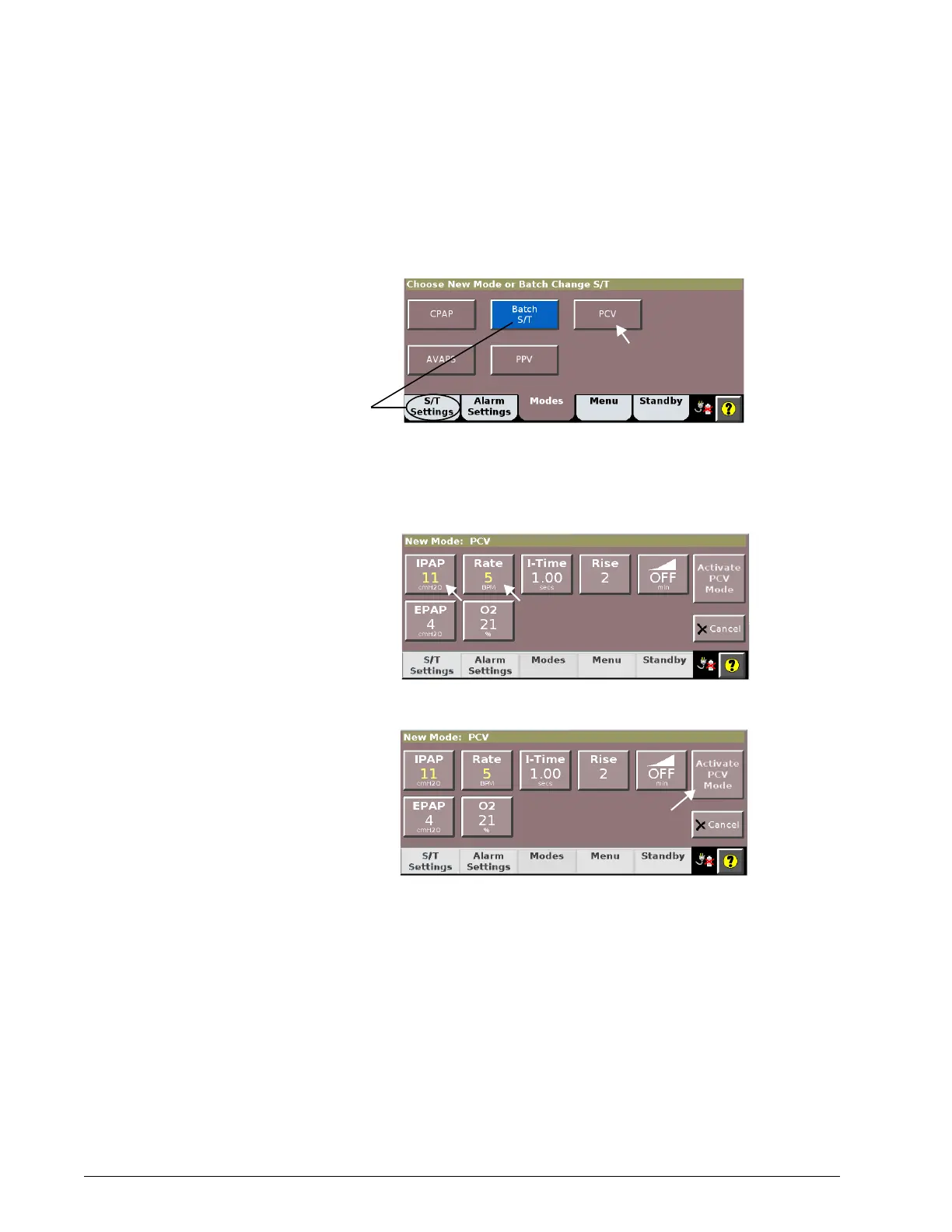
Changing the mode The active ventilation mode is displayed in the bottom, left-hand corner of the
screen. Change the mode as follows. For details on modes, see “Ventilation
modes” on page 4-7.
1. Open the Modes window.
2. Select the desired mode.
3. Adjust settings as desired (see “Changing individual ventilator
settings” on page 6-4). Newly adjusted setting values are shown in
yellow.
4. Select Activate Mode to apply.













 To Next Page