6-14
Operation
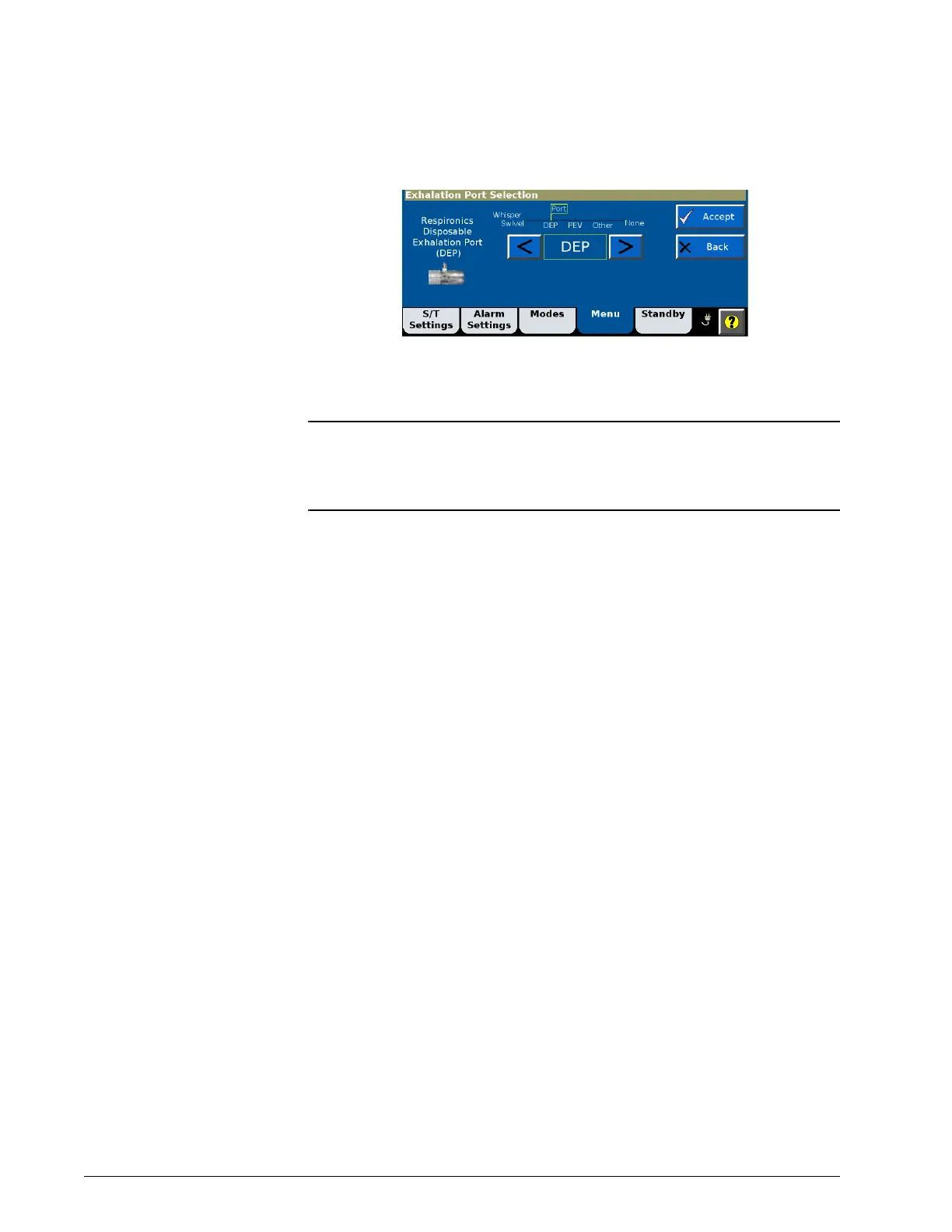
4. Select the desired exhalation port type (Table 6-2). Select Accept to
apply.
If you select an exhalation port that is not compatible with the
selected mask, Not allowed with current mask is displayed.
NOTE: In ventilation modes, ET/tracheostomy tubes and most Philips
Respironics masks require the use of an exhalation port. If you
selected ET/Trach or Leak 1 as a mask/patient interface, you may not
select None as an exhalation port.













 To Next Page