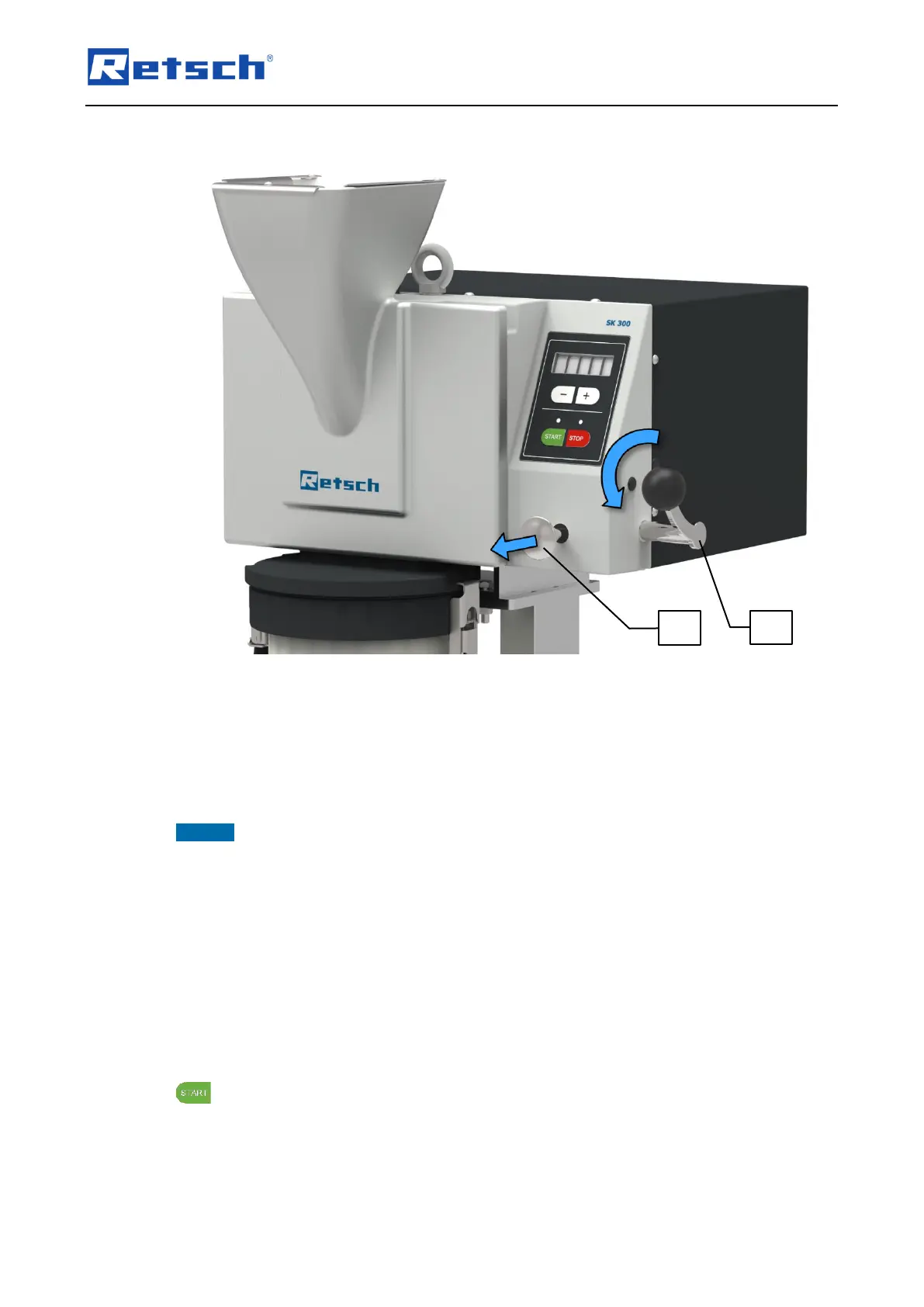
Connect the device to the mains.
Switch the device on by means of the mains switch (I).
Pull and hold the catch mechanism (J) forwards.
Turn the locking lever (H) forwards. The locking mechanism (K) is released and the door can
now be opened.
NOTICE If the device is opened mechanically during operation, the engine brake grips
immediately and the error "E51" appears in the display. This indicates a fault in the safety
switch.
Switch off the device by means of the mains switch (I).
Press the mains switch (I) again to turn the device on.
6.5.2 Closing
Close the door.
Turn the locking lever (H) backwards. The catch mechanism (J) snaps back into place by
itself.
If the door is not correctly locked, the information note "H41" appears in the display when the
button is pressed. This instructs the user to close the door.



 To Next Page