EasyManua.ls Logo

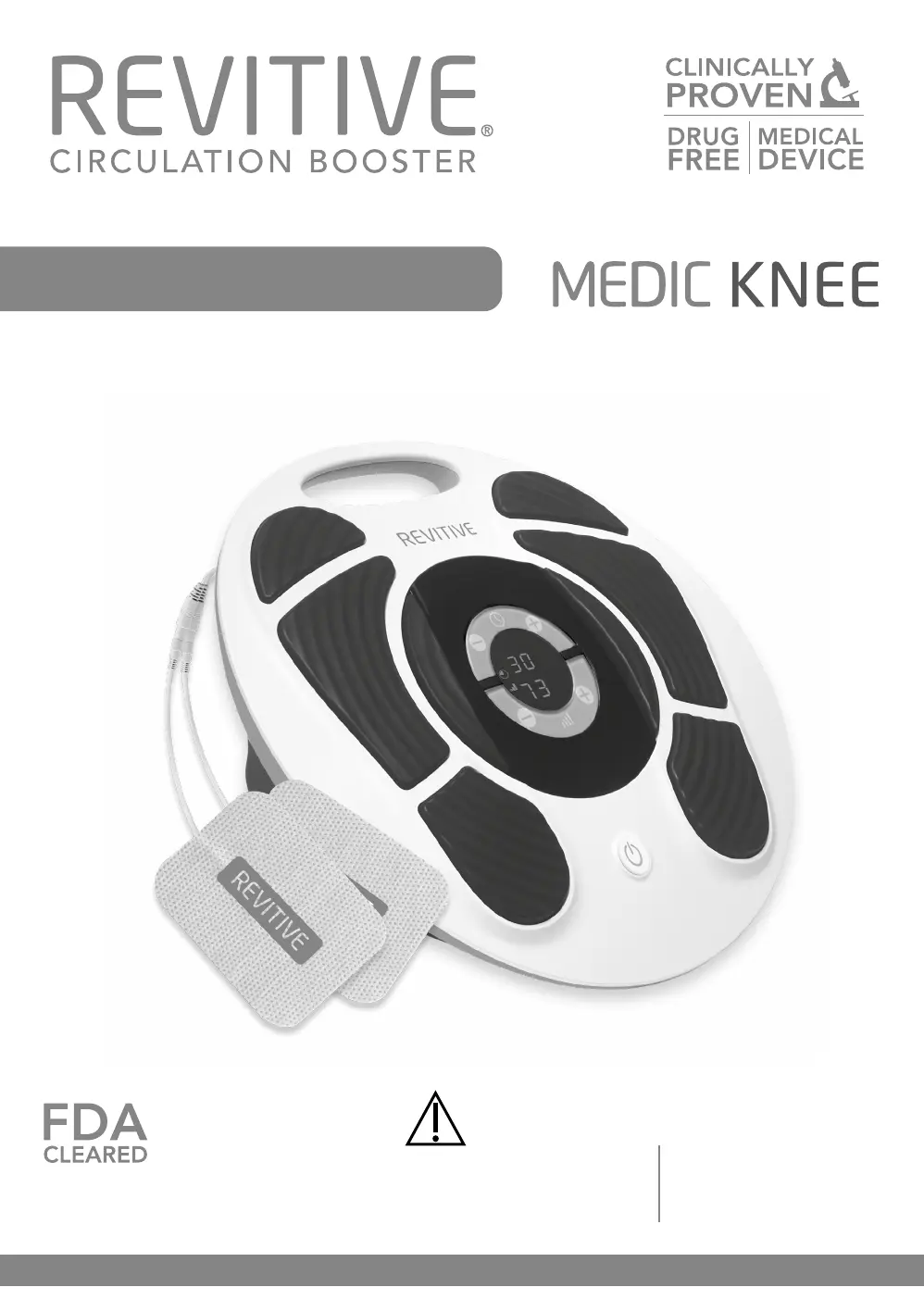
Revitive Medic Knee - User Manual

Revitive Medic Knee
48 pages
Print Icon
To Next Page IconTo Next Page
Loading...
Model number 2836AB
User’s Manual
®
Neuromuscular Electrical Stimulation Device
Transcutaneous Nerve Stimulation Device
PLEASE READ THE
USER’S MANUAL CAREFULLY
BEFORE USING THIS PRODUCT
USE ONLY AS DIRECTED
If symptoms persist, consult
your healthcare professional
Dual Action:

Questions and Answers

  • J
    Julia McgeeSep 12, 2025
    What to do if my Revitive Medical Equipment won't turn on?
    • D
      Dennis OsbornSep 12, 2025
      If your Revitive device isn't powering on, first check that the AC adapter is properly plugged into both the electrical socket and the device itself, and that the socket is switched on. If it still doesn't work, contact your authorized dealer. Also, if you are using battery power, ensure the device is charged by plugging it into an electrical socket, or use the power cord option.
  • B
    Barbara MorrisonSep 12, 2025
    How to stop Revitive Medical Equipment from tapping?
    • A
      Allen TaylorSep 13, 2025
      If your Revitive device makes a tapping noise when the IsoRocker is in use on a hard floor, adjust the device's positioning or lower the intensity level. Alternatively, place a floor mat under the device to cushion the sound.
  • C
    colin19Sep 14, 2025
    Why is the IsoRocker on my Revitive Medical Equipment not rocking?
    • J
      Jeffrey RichardsSep 14, 2025
      The IsoRocker will only rock when the intensity is increased enough to cause sufficient calf muscle contraction. You may need to get used to the sensation before comfortably increasing the intensity. Ensure the intensity is at a comfortable level. Also, sit with your knees at a 90-degree angle. Make sure the IsoRocker system is enabled by ensuring the IsoRocker Disabler is flat in the center position.
  • R
    richard70Sep 16, 2025
    How to set Revitive Medical Equipment to TENS mode?
    • E
      Emily HarrisSep 16, 2025
      If your device is showing EMS but you want to use TENS mode, select TENS mode on the remote for the desired stimulation.
  • C
    Chris BellSep 18, 2025
    Why can’t I feel stimulation in my thigh when using Revitive Medical Equipment Thigh Pads?
    • L
      Lawrence MurraySep 18, 2025
      If you can’t feel the stimulation in your thigh when using the thigh pads, therapy may have started and reached the rest period. Wait up to 20 seconds for the stimulation to start again.
  • R
    Rebecca AndersonDec 3, 2025
    Why can't I feel the electrical stimulation on my Revitive Personal Care Product?

    Summary

    Whats in the box?

    Parts and Controls

    Introduction to Revitive

    Intended Use

    Describes the intended purpose of the Revitive device for muscle stimulation and pain relief.

    Indications for use

    Lists the conditions and uses for which Revitive is recommended.

    How Revitive Works

    Explains the three-way action of the Revitive Medic Knee device.

    Important Safeguards

    Who Should NOT Use Revitive

    Identifies individuals for whom Revitive use is contraindicated due to health conditions or devices.

    Important Safeguards

    Warnings

    Details critical warnings and precautions for using the Revitive device safely.

    Important Safeguards

    Cautions

    Provides advice on careful application of stimulation and risks to consider.

    Important Safeguards

    Safety Precautions

    Outlines essential safety measures, including not standing on the device.

    Important Safeguards

    Adverse Reactions

    Describes potential side effects like skin irritation and advice on consulting a doctor.

    Instructions for use

    How to Get the Most from Revitive

    Provides recommendations on usage frequency and duration for optimal results.

    Step 1: Initial Setup

    Guides through the initial setup process, including unboxing and battery insertion.

    Instructions for use

    Step 2: Setting up the IsoRocker

    Explains how to enable or disable the IsoRocker feature for rocking or inclined use.

    Instructions for use

    Step 3: Powering Revitive

    Details the options for powering the device, using battery or AC adapter.

    Instructions for use

    Step 4: Using the Foot-Pads

    Provides step-by-step instructions for using the foot-pads for EMS stimulation.

    Instructions for use

    Step 5: Using Electrode Pads

    Introduces the use of Thigh Pads (EMS) and Body Pads (TENS) for stimulation.

    Instructions for use

    Step 5.1: Using Thigh Pads for EMS

    Details how to apply Thigh Pads for EMS to strengthen quadriceps and relieve knee pain.

    Instructions for use

    Step 5.2: Using Body Pads for TENS

    Explains how to use Body Pads for TENS to provide pain relief to various body areas.

    Instructions for use

    Step 5.3: Switching Modes

    Details how to switch between EMS and TENS stimulation modes using the remote control.

    Instructions for use

    Step 6: Recharging the Battery

    Explains the process of recharging the Revitive's integrated battery using the AC adapter.

    Instructions for use

    Step 7: Cleaning and Storing

    Provides guidance on cleaning the device and storing it safely.

    Replacing Batteries

    Describes how to replace the batteries in the remote control.

    Replacing Electrode Pads

    Explains the lifespan of electrode pads and how to obtain replacements.

    Troubleshooting

    Troubleshooting

    Troubleshooting

    Technical Specifications

    Technical Specifications

    Technical Specifications

    Symbols

    Symbols

    Warranty Information

    Exclusions

    Lists conditions under which the warranty is voided or not applicable.

    Revitive Medic Knee Specifications

    General IconGeneral
    Remote ControlYes
    PortabilityPortable
    TypeMuscle Stimulator
    Target AreaKnee
    TechnologyElectrical Muscle Stimulation (EMS) and Transcutaneous Electrical Nerve Stimulation (TENS)
    Intensity Levels99
    Power SourceMains Adapter
    Additional FeaturesIsorocker System
    Intended UseTo improve circulation and reduce pain in knees and legs
    User InterfaceButtons and LCD screen

    Related product manuals